 Our AI Tools
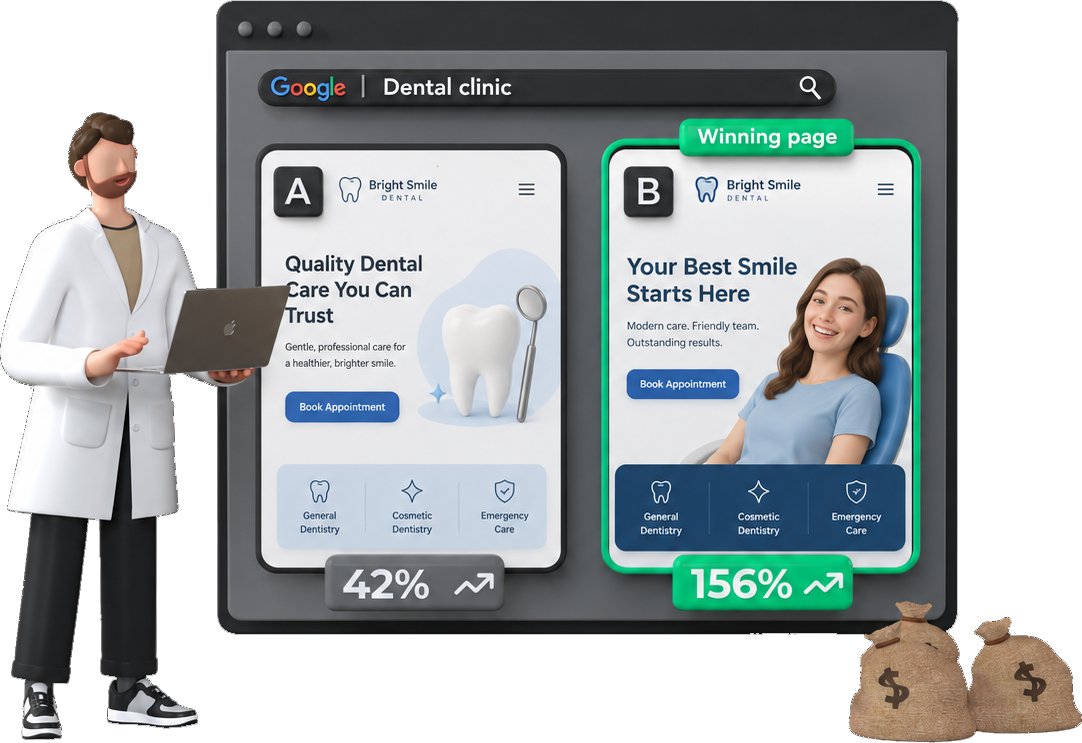




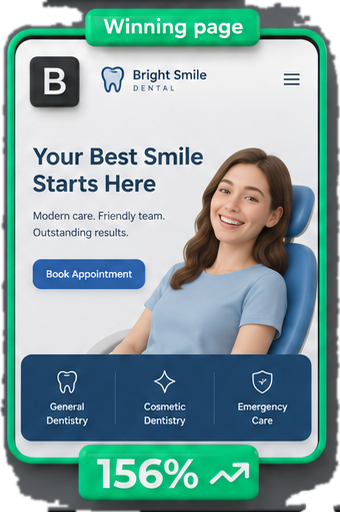




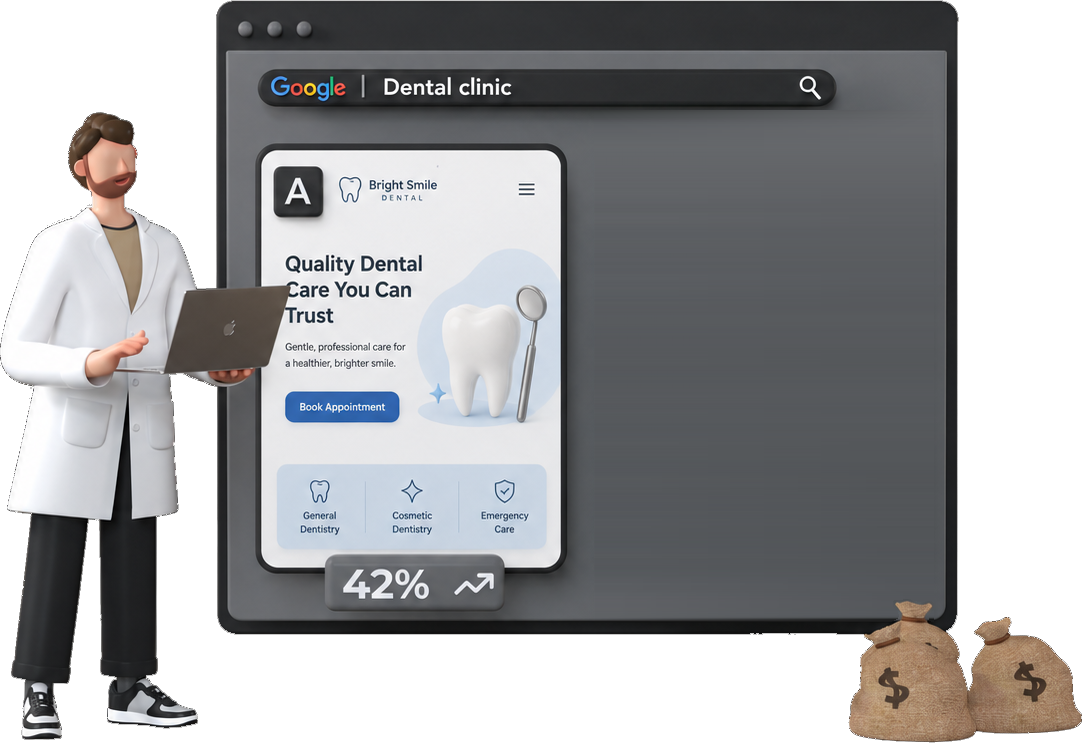
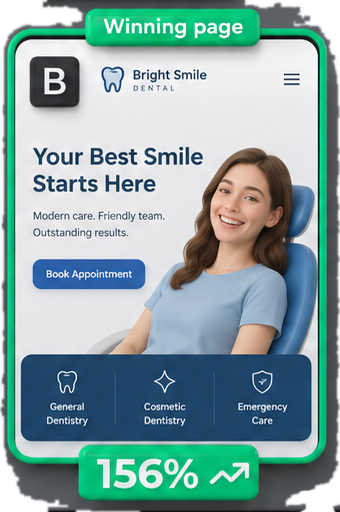
AI Max is a setting inside a Google Ads Search campaign. Switch it on and your keywords stop being the limit. Google matches searches past them, rewrites your ad text and picks which page of your site to send people to.
It’s also switching itself on. Campaigns with automatically created assets or campaign-level broad match started upgrading in September 2026, and Dynamic Search Ads follow from February 2027.
When I pulled 84 live Performance Max campaigns in August 2026, 42 had sent clicks to a page the advertiser never picked - blog posts and policy pages. AI Max has the same switch.
The short version
- ✅ Turn it on if you bid to a conversion target, have budget to spare and would happily pay for a click to any page on your site.
- ❌ Leave it off (or strip it back to search term matching) if you’re on manual CPC, limited by budget, or pin headlines for compliance.
- 👉 Either way, add URL exclusions and brand exclusions before it runs, then read the AI Max rows in your search terms report.
What does AI Max actually change?

It’s one toggle in campaign settings, and underneath it sit three features (Google’s feature list). Google insists it isn’t a new campaign type, and that’s true - you keep your ad groups, keywords and ads.
- Search term matching. Your keywords get stretched with broad match, plus “keywordless” matching that reads your ads and landing pages to find searches you never added. It’s on for every ad group by default, and you can switch it off one ad group at a time.
- Text customisation. This used to be called automatically created assets. Google writes new headlines and descriptions from your site, your ads and your keywords.
- Final URL expansion. Google picks the page on your domain it predicts will do best and swaps it in for the final URL you set. It only works with text customisation on, so the ad matches the page.
- The controls. URL exclusions, brand lists, locations of interest and text guidelines - the levers you use to rein the first three in.
Google’s own example is a clothing brand bidding on “red midi dress”. Someone searches “colorful midi dress for spring and summer”, which the exact match keyword would have missed, and AI Max writes an ad for that search and sends it to the right product page.

Here’s every part of it in one place, and where each one lives:
| Feature or control | Where you set it | On by default? | What it does |
|---|---|---|---|
| Search term matching | Campaign, switch off per ad group | Yes | Finds searches past your keywords |
| Text customisation | Campaign | Yes | Writes headlines and descriptions |
| Final URL expansion | Campaign | Yes | Picks the landing page |
| URL exclusions | Campaign | No | Pages it must never send traffic to |
| URL inclusions | Ad group | No | Extra pages it may use |
| Brand exclusions | Campaign | No | Brands you never want to show against |
| Brand inclusions | Campaign or ad group | No | Only show on searches for these brands |
| Locations of interest | Ad group | No | Reach people searching about a place |
| Text guidelines | Campaign | No | Up to 25 banned terms and 40 messaging rules |
Four things in Google’s help pages most guides skip
- Pinned headlines stop working. With final URL expansion or URL inclusions on, Google ignores pinned RSA assets whenever it picks a different page (set-up page). If a regulator needs a line in every ad, that’s a real problem. Google announced text disclaimers in April 2026 to fix exactly that.
- Manual CPC kills the main feature. Search term matching doesn’t run on manual CPC, and Google says all three features need conversion-based Smart Bidding to work properly.
- Budget-limited campaigns won’t benefit. Google’s own help page says AI Max “won’t be effective” in a campaign limited by budget.
- Tracking templates can send people to a 404. If your template hard-codes a URL instead of using
{lpurl}, clicks on an expanded page can land on the wrong page or a broken one. Check it before you switch anything on.
When does AI Max switch itself on?

Google announced the automatic upgrade on 15 April 2026, the day AI Max came out of beta (Google’s upgrade post). On 11 June it pushed the Dynamic Search Ads part back to February 2027, because advertisers asked for more time. The rest went ahead in September.
What gets switched on depends on where the campaign started:
| If your Search campaign uses… | It upgrades | AI Max turns on | Final URL expansion? |
|---|---|---|---|
| Automatically created assets | From September 2026 | Search term matching and text customisation | No |
| The campaign-level broad match setting | From September 2026 | Search term matching | No |
| Dynamic Search Ads | From February 2027 | All three, with your URL rules kept | Yes |
| Nothing - it’s a brand new Search campaign | Already | All three, on by default | Yes |
👉 The September upgrade doesn’t switch on final URL expansion. A new campaign does, and so will the DSA upgrade.
So the landing page risk doesn’t arrive with a bang. It arrives the next time someone on your team builds a Search campaign and clicks through the defaults (which, in my experience, is how most settings get switched on).

If you run DSA, February 2027 changes more than a setting. Dynamic ad groups become standard ad groups, the ads become responsive search ads written by text customisation, and rules like “page title contains” turn read-only. You can delete them, but you can’t edit them or add new ones. Google says you’ll get a notification in the account before your campaigns move.
One more for anyone who used the campaign-level broad match setting. Google says the move changes keyword prioritisation, and if you want identical searches to keep going to your exact match keywords, you add exact match copies of them.
Should you turn AI Max on?
Google’s number is that advertisers who switch it on “typically see 14% more conversions or conversion value at a similar CPA/ROAS” (Google’s launch post). The footnote says that’s non-retail advertisers only.
The independent numbers are less cheerful.

Smarter Ecommerce looked at more than 250 retail Search campaigns with AI Max on (smec’s AI Max guide). AI Max added a median 13% more conversion value, and those extra sales cost a median 16% more each. Return on ad spend landed anywhere from 35% below the campaign’s baseline to 42% above it, which smec called “basically a coin toss”.
Xavier Mantica’s test was harsher. After four months, AI Max cost $100.37 a conversion against $43.97 for phrase match in the same account, and it lost to every match type, close variants included (PPC Land’s write-up, and the thread on Search Engine Roundtable).

None of this surprises me. Extra conversions on top of a well-run campaign should cost more - that’s how every channel works.
📊 The bigger problem is what AI Max is told to chase. When I read 100 accounts in August 2026, the median account had 9 primary conversion actions. AI Max works through Smart Bidding, so it goes after all nine, and a newsletter signup can count the same as a sale. In the 84 PMax campaigns I pulled, 45 had no target ROAS or target CPA at all.
Hand that setup more reach and it’ll find more of the cheap stuff.
So here’s how I’d decide:
| Your situation | My call |
|---|---|
| Manual CPC bidding | Leave it off. Search term matching doesn’t run on manual CPC |
| Campaign limited by budget | Leave it off until it isn’t |
| Five or more primary conversion actions | Fix those first. My account onboarding checklist covers how |
| Pinned headlines for legal or compliance reasons | Search term matching only, final URL expansion off |
| Lead gen site with a blog, careers page and policy pages | Test it, with URL exclusions in first or final URL expansion off |
| Mostly exact and phrase keywords, a CPA or ROAS target, budget to spare | Run an AI Max experiment. This is where Google’s numbers look best |
| Ecommerce already running PMax on the same products | Test slowly. Google publishes no retail claim at all |
How do you test AI Max without betting the campaign?
Google built a test for exactly this. An AI Max experiment splits traffic inside the same campaign - part runs with AI Max off, part with it on - so there’s no copied campaign starting from scratch (Google’s experiments page).
- Go to Experiments in the Campaigns menu, press the plus button and pick Campaign features and settings.
- Choose AI Max for Search campaigns.
- Untick Final URL expansion under asset optimisation if you want to test the matching on its own. The experiment switches on all three features unless you say otherwise.
- Add brand exclusions or inclusions if you need them. You can set them for the test even if the campaign has none today.
- Leave “Apply your experiment changes if results are favorable” unticked. You decide what favourable means.
It won’t run on a campaign that already has text customisation on, uses a portfolio bid strategy or a shared budget, uses bidding exploration, or already has an experiment running. A custom experiment gets round the Display Network limit, and none of the others.
How long? PPC Land reported that Google recommended eight-week tests in an October 2025 webinar. That’s longer than most people run them, and on a campaign with a handful of conversions a week it’s the minimum I’d trust.
How do you check what AI Max is doing in your account?
Google says to wait at least two weeks after switching AI Max on before you make changes like adding negatives (Google’s reporting page). I’d wait for the data, just not for the obvious stuff. If it’s sending clicks to your privacy policy on day three, exclude it on day three.
Here’s where to look in the interface:
| Report | Where to look | What it tells you |
|---|---|---|
| Keywords | The two summary rows at the bottom | ”Total: AI Max expanded matches” is broad match stretching your keywords. “Total: AI Max landing page matches” is searches found from your pages, with no keyword |
| Search terms | Filter Match type to AI Max, add the Source column | Which searches AI Max bought, and whether broad match or keywordless found them |
| Search terms | The “Search terms and ad combinations” view | The search, the headline shown and the page it landed on, in one row |
| Landing pages | The “Selected by” column | Which pages Google picked instead of you |
| Assets | ”Added by: Google AI”, and the “Expanded final URL assets” tab | Every headline Google wrote, which you can remove one at a time |
Don’t assume it’s broad match with a new name. smec found the broad match side and the keywordless side often split AI Max traffic roughly 50/50.
If you’d rather pull it than click through it, I put two GAQL queries in the AI tools guide. One shows which campaigns have AI Max on. The other splits spend by match source - ADVERTISER_PROVIDED_KEYWORD, AI_MAX_BROAD_MATCH, AI_MAX_KEYWORDLESS, DYNAMIC_SEARCH_ADS and PERFORMANCE_MAX.
If the two AI Max rows spend a lot and convert little, the next step is a search term review. That’s usually where the waste sits.
How do you control AI Max?
Exclude the pages you’d never pay for

👉 This is the one I’d do before anything else. Half the campaigns in my PMax pull had sent paid clicks to a page nobody chose, and Google’s own FAQ describes AI Max as an evolution of DSA and PMax with final URL expansion. Same switch, same risk.
URL exclusions sit at campaign level, under Final URL expansion in the AI Max settings. You can list exact URLs, or use the Rules tab to exclude whole sections. Here’s what I’d start with - swap the paths for your own site’s:
Pages to exclude before final URL expansion runs
/blog/
/news/
/careers/
/jobs/
/privacy
/terms
/cookie
/login
/account
/cart
/checkout
/thank-you
/search
For lead gen I’d go further and switch final URL expansion off altogether. That’s my rule in the Performance Max audit too. A lead gen site usually has a handful of pages built to convert, and a blog built to rank.
Check the pages Google picked
The landing pages report tells you which pages final URL expansion chose. It doesn’t tell you whether those pages can sell. Postclick’s landing page analyzer reads the public page and scores it out of 100, with campaign fit - does the page answer the search that brought the visitor - weighted heaviest. It doesn’t connect to your Google Ads account, so paste in the pages from that report that are taking the spend.
Keep competitor and brand traffic where you want it
smec found one account where AI Max expansion went almost entirely into competitor searches, and it took 69% of the account’s Search impressions. Brand exclusions stop that at campaign level. Brand inclusions do the opposite, for a brand campaign that should only ever show on your own name (Google’s brand settings page).
Brand lists also catch misspellings and other languages without you typing them in, which a negative keyword list never will. My brand monitoring guide covers watching who bids on your name.
Negative keywords still work with AI Max on. The negative keyword lists I’d build first matter more with it, since the net is wider.
Tell it what not to write
Text guidelines let you ban up to 25 terms and set up to 40 messaging restrictions per campaign (Google’s text guidelines page). They only apply to the text Google writes. Adding them also removes any Google-written assets already live that break the new rules.
❌ One catch: a term exclusion can’t stop prices appearing. Excluding ”$” won’t block “Shoes for less than $50” - Google says to use a messaging restriction for that instead.
Messaging restrictions to start from
Don't generate assets with prices, e.g. $45 a month or from £99.
Don't imply our products are discounted.
Don't mention competitors by name, e.g. CompetitorName.
Our brand name is always spelled BrandName.
Never promise results, guarantees or timeframes.
If an asset mentions an offer, always include "T&Cs apply".
Text guidelines are on their way out, though. Google announced AI Brief in April 2026, a Gemini-powered brief where you describe the business, the messages and the audience in your own words (Google’s AI Brief post). It’s rolling out in English first, and on 23 September Google added seven more languages to the closed beta (the update). Your text guidelines move into it automatically.
Watch search partners and locations
smec also saw a campaign where AI Max pushed half of its 500,000 monthly impressions onto Search Partners, converting at 0.07% against 3.04% on Google Search. It isn’t typical. But check the network split in your first fortnight, and switch partners off if it happens.

Locations of interest are an ad group setting that reaches people searching about a place, even on keywordless matches. Useful for travel or multi-city services.
Check the campaign’s own location setting first, though. 34 of my 84 PMax campaigns were on “presence or interest” - the default, which reaches people who only show interest in your area, including people abroad.
AI Max vs Performance Max, DSA and broad match
| AI Max for Search | Performance Max | Dynamic Search Ads | Broad match alone | |
|---|---|---|---|---|
| Where ads show | Search | Search, Shopping, YouTube, Display, Gmail, Maps and Discover | Search | Search |
| What finds the search | Your keywords, then past them | Signals and your assets | Your website | Your keywords |
| Writes the ad text | Yes | Yes | Yes | No |
| Picks the landing page | Yes, if final URL expansion is on | Yes, if URL expansion is on | Yes | No |
| What happens next | The default for new Search campaigns | Stays as it is | Upgrades to AI Max from February 2027 | Unchanged |
My take: AI Max is DSA and broad match merged into one setting, with the PMax landing page switch bolted on. Google’s FAQ says roughly the same thing, in politer words.
The upside over PMax is that it stays a Search campaign, with your keywords, negatives and ad groups still in charge of the structure. The search terms report shows the search, the headline that showed and the page it landed on side by side (PMax vs Shopping covers where PMax itself fits).
How do you turn AI Max off?
- Go to Campaigns, open the Settings tab and tick the campaigns you want to change.
- Select AI Max.
- Toggle it off to drop every AI Max setting, or open Search term matching or Asset optimisation and switch features off one at a time.
- Save.
Two things go with it. Brand exclusions you set inside AI Max stop working, and so do your URL exclusions and inclusions. And switching off text customisation also switches off final URL expansion, and marks every Google-written asset as “Removed”.
If you only want the matching gone in one place, switch search term matching off in that ad group and leave the rest.
FAQs
- Should I turn on AI Max in Google Ads?
- Only if you bid to a conversion target, the campaign isn't limited by budget, and your conversion actions mean money. Google's best case is campaigns still mostly on exact and phrase keywords, where it quotes a typical 27% more conversions or conversion value at a similar CPA or ROAS. That's Google's internal data for non-retail advertisers, so test it with an AI Max experiment rather than taking it on trust.
- How do I turn on AI Max?
- Open the campaign's Settings, select AI Max and switch on the toggle labelled Optimize your Search campaign with AI Max. To do several campaigns at once, tick them in the campaign list, choose Edit and then Change AI Max settings. You can also add the AI Max settings as columns in the campaign list, which is the quickest way to see which campaigns already have it on.
- How do I turn off AI Max in Google Ads?
- In the campaign Settings tab, select AI Max and switch the toggle off. If you switch it back on later, Google restores the same features you had before, so you don't need to set it up again. To drop only the matching in one ad group, switch search term matching off there - but AI Max has to stay on at campaign level for ad group settings to apply.
- What is the difference between Performance Max and AI Max?
- Performance Max is its own campaign type that runs across all of Google's inventory. AI Max is a setting inside a Search campaign and only shows Search ads. When one search could match both, Google serves whichever has the higher Ad Rank, so the two compete for the same queries rather than splitting them.
- Can I stop the automatic upgrade to AI Max?
- None of Google's AI Max pages I read on 30 September 2026 describe a way to opt out. Google says you'll get a notification in the account before a campaign moves, and you can switch AI Max off afterwards. If you run Dynamic Search Ads, upgrading yourself before February 2027 lets you set the URL exclusions and brand settings on your own terms.
- Is AI Max free?
- There is no separate charge. AI Max is a campaign setting, so you pay for the clicks it buys like any other Search click. Google also announced AI Max for Shopping campaigns in April 2026, which uses your Merchant Center feed rather than keywords.
- Does AI Max respect negative keywords?
- Yes. Negative keywords keep working with AI Max on. You can also exclude a landing page straight from the search terms report: tick the row and choose Add as negative URL.
- Does AI Max work with manual CPC?
- Only partly. Search term matching, the main feature, does not run on manual CPC. Google says AI Max relies on signals from automated bid strategies such as Maximize Conversions or Maximize Conversion Value, so switch bidding first if you want to test it properly.