 Our AI Tools
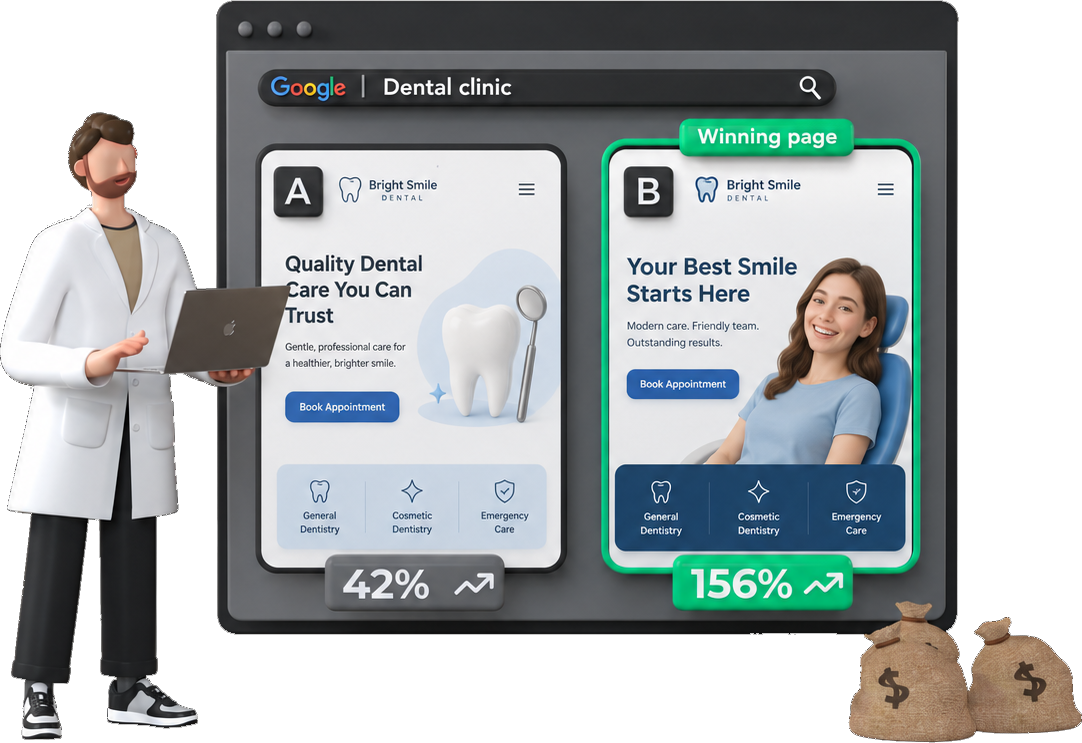









In 13 US accounts, Google threw out about 1 in 5 display clicks as invalid before it billed. The median was 19.2%. On Google Search it was 5.8%, across 49 accounts.

So if you’re worried about click fraud, check your display placements before you pay $79 a month for a tool.
What I found in 49 accounts
- Search partners were fine. 5.7%, the same as Search. GrowMyAds says to turn them off first.
- Vendors report double Google’s rate. Fraud Blocker says 11.4%. Google’s median account was 5.6%.
- At the median $3.06 a click, a $79 tool pays for itself if it stops 26 bad clicks a month that Google missed.
Below you’ll find a free script that shows your own rate, and 7 click fraud tools with prices.
What Google already filters
Google calls these invalid clicks. Its invalid clicks page says you won’t be charged for them, and that they’re removed from your campaign metrics. If Google finds invalid clicks after it has billed you, it gives the money back as a credit.
You can see the count in your own account. The Google Ads API reports invalid clicks next to clicks for each campaign, and the interface has Invalid clicks and Invalid click rate columns. I added them up for every US account I can see that got 1,000 or more clicks between 23 July and 20 October 2026: 49 accounts and $17.5M of spend.
The median account had 5.6% of its clicks thrown out, which is about 1 click in 18. Half the accounts sat between 4.4% and 6.9%.
Vendor numbers run higher. Fraud Blocker puts the average invalid click rate at 11.4%, from 104 million clicks across 43,701 accounts in the 6 months to 25 February 2026. Those are its own customers, measured by its own detection, so they’re accounts that already suspected a problem. Google’s numbers above count only the clicks Google caught. The gap between 5.6% and 11.4% is the part you’d pay a tool to find, and you can only check it against your own server logs.
None of those clicks cost anything. The clicks that cost you are the ones Google counts as valid and a tool would call fraud. No one can see those in the Google Ads data, so the number to watch is how far your account sits from these medians.

Five accounts had more than 12% of their clicks filtered. Two of them put about half their clicks on display placements. The other three ran Search only, with up to 15.6% of their Search clicks filtered. That’s nearly three times the median, and high enough to check whether one source is clicking the ads again and again.
Where click fraud hits: display placements

I split each account’s clicks by where the ad showed. Display placements, the websites and apps in Google’s network, had a median invalid rate of 19.2%. That’s more than three times Google Search. In 12 of the 13 accounts with enough display clicks, display had the higher rate.
YouTube was the lowest at 1.3%. Search partners matched Google Search at 5.7%, though only 8 accounts had enough partner clicks to measure. In the agency GrowMyAds’ click fraud guide, step 1 is to turn off Search partners. In these accounts, partners were no worse than Search, and display placements were the network to cut.
This matches what I see in accounts. Most of the junk comes from the cheap end of the display network, where a site owner earns money from every click on an ad. Performance Max shows ads there too, and my Performance Max audit shows how to find those placements. In the 11 accounts with 300 or more Performance Max display clicks, the median invalid rate was 21.5%.
The cheapest fix is free
Cut display placements before you pay for a tool. Turn off the Display Network in Search campaigns, and exclude the worst sites and apps in Performance Max. On these numbers, that removes the network with 3 times the invalid rate of Search.
How to check your own invalid click rate
Run this script in Google Ads (Tools, then Bulk actions, then Scripts). It reads the last 30 days and prints the invalid click rate for each network. Nothing in the account changes.
Invalid click rate by network, last 30 days
function main() {
  var query = 'SELECT segments.ad_network_type, metrics.clicks, metrics.invalid_clicks ' +
    'FROM campaign WHERE segments.date DURING LAST_30_DAYS AND metrics.impressions > 0';
  var rows = AdsApp.search(query);
  var byNetwork = {};
  while (rows.hasNext()) {
    var row = rows.next();
    var network = row.segments.adNetworkType;
    byNetwork[network] = byNetwork[network] || { clicks: 0, invalid: 0 };
    byNetwork[network].clicks += Number(row.metrics.clicks);
    byNetwork[network].invalid += Number(row.metrics.invalidClicks);
  }
  for (var network in byNetwork) {
    var n = byNetwork[network];
    var total = n.clicks + n.invalid;
    var rate = total ? (100 * n.invalid / total).toFixed(1) : '0.0';
    Logger.log(network + ': ' + rate + '% invalid (' + n.invalid + ' of ' + total + ' clicks)');
  }
}
Compare the SEARCH line with 5.8% and the CONTENT line with 19.2%. The script reads the last 30 days and my numbers cover 90, so a small gap is noise. On Google Search alone, 11 of the 49 accounts had more than 7% of clicks filtered, so a Search rate above 7% puts you in roughly the top quarter. That doesn’t prove fraud, because Google already caught those clicks. It means your account draws more bad traffic than most, so check your server logs and leads for repeat clicks that Google let through.
How to stop click fraud without a tool

- Cut display placements. Turn off the Display Network in Search campaigns. In Performance Max, add placement exclusions for the sites and apps that send clicks and no leads.
- Exclude the IP addresses you know about. Google lets you exclude up to 500 IP addresses per campaign, and account-level exclusions now cover Performance Max too. Start with your own office and any competitor IP you’ve seen in your server logs.
- Set location to presence. In the location options, pick people in or regularly in your locations. Interest in a location lets clicks in from anywhere.
- Protect your forms. Add a CAPTCHA or a hidden honeypot field. Google’s filter covers clicks only. The form fill isn’t checked, so fake leads get through even when the click was counted as valid.
- Count qualified leads as conversions. Smart Bidding goes after whatever you count as a conversion. If a bot’s form fill counts, Google will find you more bots. Send lead quality back with offline conversion imports. My conversion tracking guide covers the setup, and my call tracking software guide covers phone leads.
- Tighten loose keywords. Broad match reaches more searches, and more of them are junk. Add negative keywords for the searches you’ll never sell to. My data on broad vs exact match shows when it’s worth it.
When a click fraud tool pays for itself
The tools are cheaper than most people think. The median account above spent about $13,000 a month and paid $3.06 a click. Fraud Blocker’s Standard plan is $79 a month, which is 0.6% of that spend. It pays for itself if it stops about 26 bad clicks a month that Google didn’t catch.
So price isn’t the question. The question is whether the account has fraud Google isn’t catching. I’d pay for a tool in these four cases:
- Your Search invalid rate is above 7% and your logs show repeat clicks. 11 of the 49 accounts above were over 7% on Search. A high rate means Google catches a lot, so check your server logs for repeat visitors it let through.
- You get fake leads. This hits lead gen accounts hardest. Form spam is the problem Google’s invalid click filter doesn’t touch. Pick a tool that checks leads as well as clicks.
- You can’t cut display. Performance Max and Demand Gen campaigns run on display placements, and some accounts need them.
- A competitor is clicking. Repeated clicks from one company or one area, at the same times each day, are what IP blocking is built for.
If none of these apply, a Search-only account with a normal invalid rate gets little from a tool. Do the free steps first, then measure again in 30 days.
7 click fraud tools compared

I took these prices from each vendor’s pricing page on 21 October 2026. I haven’t run all seven in the same account, so this compares what each one covers and costs. All of them work the same basic way: they track who clicks, then add IP and placement exclusions to your campaigns.
Disclosure: ClickPatrol is a paid partner of PPC.io, which is why it’s listed first. The prices and plan details for every tool come from the vendors’ own pages.
| Tool | Entry price a month | Entry plan covers | Best for |
|---|---|---|---|
| ClickPatrol | €71 | 5,000 clicks | Small and mid accounts across Google and Microsoft Ads |
| Fraud Blocker | $79 | 5,000 clicks, 1 website | Lead gen accounts that want email checks |
| ClickGuard | $74, billed yearly | Up to $5k ad spend, unlimited clicks | Accounts with cheap clicks and high volume |
| ClickCease | $99 | 5,000 visits, 250 HubSpot leads | HubSpot users and Meta advertisers |
| TrafficGuard | $49 | Up to $30k ad spend on Google Search | A cheap test on one Search account |
| Spider AF | $120, billed yearly | 50,000 clicks, unlimited domains | Agencies with many sites |
| Lunio | By quote | $500k+ yearly ad spend | Large advertisers |
ClickPatrol
ClickPatrol reads traffic from Google Ads, Microsoft Ads and other platforms, and flags repeat clicks, suspect IP addresses, bots and weak placements. Starter is €71 a month for 5,000 clicks. PRO starts at €83 for 10,000 clicks, with volume pricing up to 75,000. There’s a 7-day free trial, and it asks for a card to verify you.
Fraud Blocker
Fraud Blocker’s Standard plan is $79 a month for 5,000 ad clicks on one website. Pro is $99 for 10,000 clicks and 5 websites, and adds 50 email verifications, which check whether a lead’s email address is real. For a lead gen account, that’s the part I’d test first.
ClickGuard
ClickGuard prices by ad spend, so every plan has unlimited clicks. It’s $74 a month billed yearly for up to $5k of monthly spend, $119 up to $50k and $159 up to $100k. If your clicks are cheap and you get a lot of them, this works out cheaper than a per-click plan.
ClickCease
ClickCease, now part of CHEQ, covers Google, Meta and Microsoft Ads. Starter is $99 a month for one website and 5,000 visits, Pro is $149 for 5 websites and Advanced is $349 for 20. Pro and Advanced are 30% off for the first 3 months. Its Lead Shield checks HubSpot leads, so it’s the one I’d look at if your leads go into HubSpot.
TrafficGuard
TrafficGuard’s Shield plan is $49 a month for one domain on Google Search, up to $30k of monthly spend, with a 30-day free trial. It’s the cheapest way on this list to see what a tool finds in your account. Above $30k a month, or for several brands, it moves to a custom Scale plan.
Spider AF
Spider AF is $150 a month, or $120 a month billed yearly, for up to 50,000 clicks with no limit on domains. The next plan is $990 a month, or $790 yearly, for 150,000 clicks. The domain limit is what makes it worth a look for an agency.
Lunio
Lunio only sells to advertisers spending $500,000 or more a year, and pricing is by quote. It’s built for large accounts across several ad platforms, which is why I’d only look at it at that size.
Which one I’d pick
For most small accounts, I’d start with TrafficGuard’s 30-day free trial on the main Search campaign, because it costs nothing to see what it finds. If it finds little that Google hasn’t already filtered, cancel it.
For a lead gen account with fake form fills, I’d pick a tool that checks leads: Fraud Blocker Pro for email checks, or ClickCease if the leads go into HubSpot. For an agency with many client sites, Spider AF or ClickGuard, because neither limits the number of sites in the same way.
Click fraud on other ad platforms

Google is not the worst platform for this. Polygraph, a click fraud detection company, published its estimates of click fraud rates by ad network as of early 2024. Its definition of fraud is wider than Google’s invalid clicks, so don’t compare them with the 5.6% above.
| Ad network | Click fraud rate (Polygraph, early 2024) |
|---|---|
| 48% | |
| 36% | |
| Microsoft Ads (Bing) | 29% |
| Twitter/X | 26% |
| 12% |
Polygraph sells detection, so read these as the high end. The order is still useful: on LinkedIn and Facebook, check lead quality before you trust the numbers.
- How much click fraud is there on Google Ads?
- In 49 US Google Ads accounts I can see, Google filtered a median 5.6% of clicks as invalid over 90 days in 2026, and didn't charge for them. On Google Search it was 5.8%, and on display placements 19.2%. Fraud that Google doesn't detect isn't in these numbers.
- Does Google refund click fraud?
- Google doesn't charge for clicks its systems mark as invalid, and removes them from your metrics. If it finds invalid clicks after billing you, it gives the money back as a credit, listed in the Invalid Activity Credit report.
- How do I check for click fraud in Google Ads?
- Add the Invalid clicks and Invalid click rate columns to your campaigns, and segment by network. In the accounts I can see, the median was 5.8% on Google Search and 19.2% on display placements. A Search rate above 7% puts you in roughly the top quarter of these accounts (11 of 49), so check your server logs for repeat clicks that Google let through.
- Are click fraud tools worth it?
- They're cheap compared with ad spend: Fraud Blocker's $79 plan is about 0.6% of a $13,000 monthly budget. They're worth it when your Search invalid rate is above 7% and your logs show repeat clicks, when you get fake leads, or when you can't turn off display placements. A Search-only account with a normal rate gets little from one.
- How many IP addresses can I exclude in Google Ads?
- Up to 500 per campaign. Google also supports account-level IP exclusions, which apply to every campaign, including Performance Max.