Our AI Tools












You’re getting clicks across your Google Ads accounts. But conversion rates are stuck, or worse, declining.
If you’re running an agency managing 20+ client accounts, or you’re part of an in-house team trying to prove PPC’s value to leadership, you know that conversion rate is the metric that actually matters. Not impressions. Not CTR. Conversions.
At PPC.io, we’ve worked on dozens of accounts specifically focused on driving performance improvements. We’ve seen accounts with 8% conversion rates and accounts with 0.5% conversion rates. (The fixes differ a lot by vertical - ecommerce PPC has its own conversion levers.) And the difference usually comes down to a handful of specific, fixable issues that many advertisers miss.
In this article, I’m going to walk you through 11 tactics that actually move the needle on Google Ads conversion rates.
What Google Ads Conversion Rate Means
Your conversion rate is the percentage of people who click your ad and then complete your desired action.
Here’s the formula: Conversion Rate = (Conversions ÷ Clicks) × 100
Simple enough, right?
Here’s where most advertisers mess this up: they track the wrong conversions.
I’ve seen countless accounts tracking “form views” or “page visits” as conversions instead of actual business outcomes. This inflates your conversion rate numbers but tells you nothing about campaign profitability.
✅ What you should track as conversions:
- Actual purchases (ecommerce)
- Qualified lead form submissions
- Phone calls (if they convert to sales)
- Trial sign-ups (if you’re SaaS)
- Appointment bookings
❌ What you shouldn’t track as conversions:
- Page views
- Time on site
- Add to cart (unless that’s genuinely your goal)
- Newsletter sign-ups (unless that’s your primary business model)
Before you do anything else in this article, verify you’re tracking the right conversion actions. Otherwise, every optimization you make will be based on bad data.
To learn more about what’s a “good” google ads converstion rate for your industry, read our article here.
11 Tactics to Improve Your Google Ads Conversion Rate
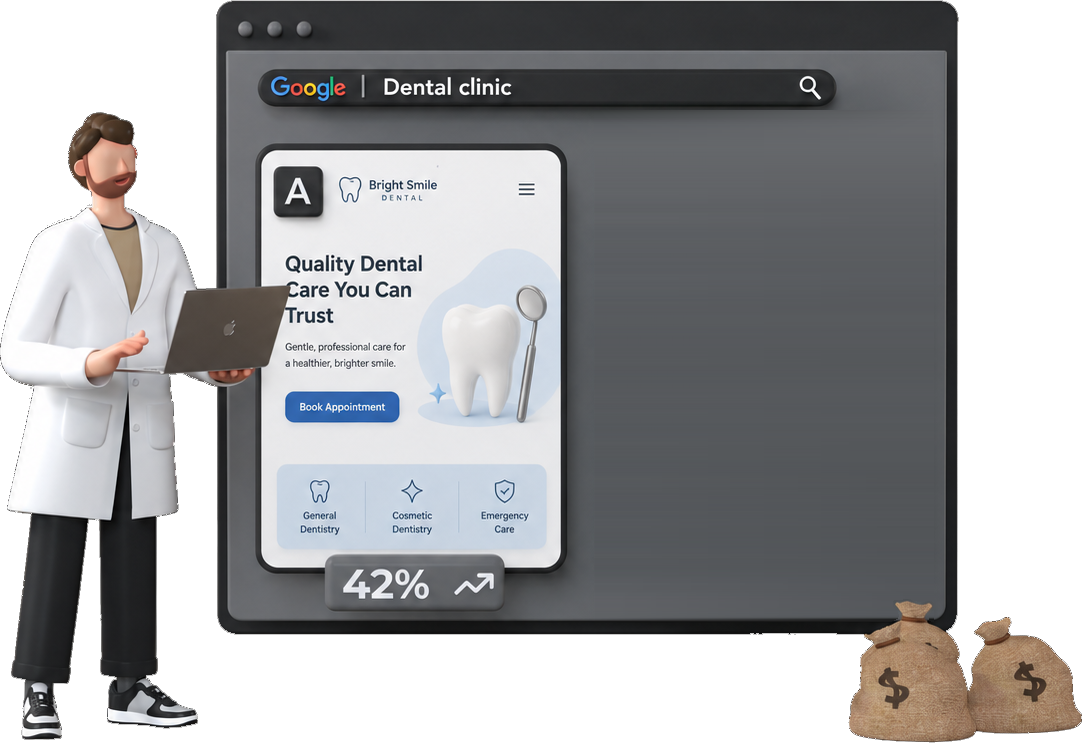
1. Fix Your Landing Page Message Match
This is the #1 reason I see for poor conversion rates across both agency and in-house accounts.
Your ad promises one thing. The landing page delivers something different. (A landing page analyzer catches this mismatch before you burn spend.)
👉 Example of message mismatch:
- Ad headline: “Get 50% Off Enterprise Software”
- Landing page headline: “Welcome to Our Software Solutions”
The user clicked because they wanted 50% off. Your landing page doesn’t mention the discount anywhere above the fold.
How to fix it:
✅ Match your landing page headline directly to your ad copy. If your ad says “Free 14-Day Trial,” your landing page headline should say “Start Your Free 14-Day Trial.”
✅ Go further: match your landing page imagery and CTA button text to the ad promise as well.
I’ve seen this single change improve conversion rates by 30-40% in accounts where message match was completely broken.
For agencies: The challenge is you often don’t control client landing pages. Document the message mismatch issue with screenshots and specific conversion rate impact in your client reports. Most clients will prioritize landing page changes when they see the revenue they’re losing.
For in-house teams: You have more control here. Work with your web/design team to create dedicated landing pages for high-spend campaigns. Generic homepage traffic always converts worse than dedicated landing pages.
2. Implement Negative Keywords Aggressively
Your ads are probably showing for searches that have zero chance of converting.
This kills your conversion rate because you’re paying for clicks from people who aren’t actually looking for what you sell.
✅ Where to find bad searches:
Go to your Search Terms Report (Insights & Reports → Search Terms) and look for:
- Informational queries (“how to,” “what is,” “best free”)
- Irrelevant variations of your keywords
- Competitor name searches (unless you intentionally bid on them)
Real example:
I reviewed an account selling premium project management software. They were bidding on “project management” (broad match) and showing ads for searches like:
- “free project management tools”
- “project management degree”
- “project management certification”
None of these searches converted. Ever.
We added 200+ negative keywords in the first week and conversion rate jumped from 1.8% to 2.9%.
👉 For agencies: Build a master negative keyword list you can apply across similar client accounts - our negative keyword gap finder speeds that up per account. If “free” doesn’t convert for one B2B SaaS client, it probably won’t convert for your other B2B SaaS clients either. This saves massive amounts of time.
👉 For in-house teams: Schedule 30 minutes every Monday to review your Search Terms Report. Make this part of your weekly workflow. The irrelevant searches never stop coming, so negative keyword management should be ongoing, not one-and-done.
We’re in the process of building an automated negative keyword tool for PPC.io. Join our waitlist for more information.

3. Use SKAGs for High-Value Terms
Most advertisers dump 10-20 keywords into a single ad group.
This forces you to write generic ad copy that doesn’t precisely match what users are searching for.
How SKAGs improve conversion rate:
When you have one keyword per ad group, you can write ad copy that exactly mirrors that specific search term. This increases relevance, which increases Quality Score, which lowers CPC, which improves ad position—all of which contribute to better conversion rates.
Example:
Instead of an ad group with:
- “marketing automation software”
- “email marketing automation”
- “marketing automation tools”
- “best marketing automation”
Create separate ad groups for your 3-5 highest-value keywords.
👉 For agencies:
You don’t have time to create SKAGs for every keyword in every client account. Be strategic:
- Identify the top 5 keywords driving 80% of conversions in each account
- Create SKAGs only for these high-performers
- Use this as a value-add service you can highlight in client reports
👉 For in-house teams:
You have more bandwidth to scale this. Start with your top 10-15 keywords, measure the conversion rate improvement, then expand to your top 30-50 over time.
I’m not saying you need to create 500 SKAGs tomorrow. Start small, measure impact, scale if it works.
4. Match Your Bid Strategy to Your Conversion Volume
Google’s automated bidding strategies need data to work properly.
If you’re using Target CPA or Target ROAS but only getting 5 conversions per month, the algorithm doesn’t have enough data to optimize effectively.
Minimum conversion volumes for each strategy:
📊 Target CPA: 30+ conversions per month
📊 Target ROAS: 50+ conversions per month
📊 Maximize Conversions: 15+ conversions per month
If you don’t hit these thresholds, use Manual CPC with enhanced CPC turned on. This gives you more control while still allowing Google to adjust bids based on conversion likelihood.
Once you hit the minimum conversion volume, you can test switching to automated bidding.
👉 For agencies:
You’re probably managing accounts at wildly different conversion volumes:
- Some clients with 200+ conversions/month → Use Target CPA or Target ROAS
- Some clients with 30-50 conversions/month → Test automated bidding carefully
- Some clients with <30 conversions/month → Stick with Manual CPC + Enhanced CPC
Don’t use the same bid strategy across all accounts just because it’s easier to manage. Match the strategy to each account’s data volume.
👉 For in-house teams:
If you’re running campaigns across multiple products or regions, segment your conversion volume analysis by campaign. Your brand campaign might have enough volume for Target CPA, while your competitor campaign might not.
5. Simplify Your Forms (Seriously)
Every form field you add drops your conversion rate.
According to Unbounce, reducing form fields from 11 to 4 increased conversions by 120% in their tests. That’s not a typo.
What most advertisers get wrong:
They ask for everything upfront: name, email, phone, company, job title, company size, budget, timeline, and a message.
Nobody wants to fill out a job application just to get a quote.
✅ What you should actually ask for:
For lead gen: Name, email, phone (maybe)
For ecommerce: Whatever’s absolutely required for checkout
For free trials: Email only
You can gather additional information later via email, in your CRM, or during a sales call.
👉 For agencies:
This is where you often hit a wall. Clients want to qualify leads with long forms, but long forms kill conversion rates.
Here’s how to handle it: Run a 2-week A/B test showing the conversion rate difference between their current form and a shorter version. When they see they’re getting 40% more leads with the shorter form, most clients will let you simplify it.
👉 For in-house teams:
You’ll face pushback from sales teams who want more qualifying information upfront. The same solution applies - test it, show the data, then negotiate which fields are actually necessary.
The exception:
If you’re in a high-ticket B2B space ($50k+ deals) and genuinely need to qualify leads, longer forms can actually increase conversion quality even if they decrease quantity. Test this for your specific situation and don’t just assume shorter is always better.

6. Add Trust Signals to Your Landing Page
People don’t convert when they don’t trust you.
This is especially true for cold traffic from Google Ads who’ve never heard of your brand before.
Here are some trust signals that we look for:
✅ Customer logos (especially if you have recognizable clients)
✅ Review stars and testimonial count (“Based on 2,847 reviews”)
✅ Security badges (especially for ecommerce)
✅ Specific testimonials with photos and full names (make sure it’s a real person!)
✅ Money-back guarantee (if applicable)
What doesn’t work:
❌ Generic stock photos
❌ Made-up awards (“Best Software 2024”)
❌ Anonymous testimonials (“This product changed my life! - John D.”)
Real example:
One ecommerce client added “4.8/5 stars from 1,200+ verified reviews” directly below their Add to Cart button. The conversion rate increased over a 3 month period from 2.1% to 2.7% - a 28% increase from one small change.
7. Test Your Landing Page Speed
For every second your landing page takes to load, your conversion rate drops.
Google’s data shows:
- 1-3 second load time: baseline conversion rate
- 3-5 second load time: 20% fewer conversions
- 5-10 second load time: 50% fewer conversions
How to check your speed:
Go to PageSpeed Insights (Google it) and paste in your landing page URL.
If your mobile score is under 70, you have a speed problem that’s killing conversions.
✅ Quick fixes that work:
- Compress images (use TinyPNG or ImageOptim)
- Remove unnecessary scripts and tracking pixels
- Enable browser caching
- Use a CDN for image hosting
I’m not a developer, so I won’t pretend to give you advanced speed optimization advice. But the four items above will handle 80% of speed issues on most landing pages.

8. Use Ad Extensions Strategically
Ad extensions don’t directly affect conversion rate, but they do two things that indirectly improve it:
- They increase ad visibility and CTR
- They pre-qualify clicks by providing more information upfront
Which extensions actually help conversion rate:
✅ Sitelink Extensions: Link to specific product pages or your most popular content. This lets users jump directly to what they want instead of bouncing from a generic landing page.
✅ Callout Extensions: Use these to highlight your key differentiators (“Free Shipping,” “24/7 Support,” “90-Day Guarantee”). This filters out people who won’t convert anyway.
✅ Price Extensions: Show your pricing directly in the ad (if you’re comfortable with this). This pre-qualifies clicks—you’ll get fewer clicks, but higher conversion rates because everyone who clicks already knows your pricing.
✅ Call Extensions: If you convert phone calls, this can massively boost conversion rates by letting high-intent users call you directly.
❌ What to skip:
- Promotion extensions (unless you’re running a specific sale.) They attract deal-seekers who rarely convert at full price.
9. Implement Remarketing (If You’re Not Already)
Most people don’t convert on their first visit to your site.
This is especially true for higher-ticket products or services where there’s a longer consideration period.
The remarketing conversion rate difference:
❌ Cold traffic conversion rate: 1-3%
✅ Remarketing conversion rate: 3-8%
That’s not a small difference - remarketing converts 2-3x better than cold traffic because these people already know your brand and have shown intent.
How to set up basic remarketing:
- Create an audience of people who visited your site but didn’t convert (Audience Manager → Your Data Sources → Website Visitors)
- Set the membership duration to 30-90 days (depends on your sales cycle)
- Create a separate Display or Search campaign targeting only this audience
- Use ad copy that acknowledges they’ve visited before: “Still thinking about [product]? Here’s 10% off to help you decide”
👉 For agencies managing 20+ accounts:
Set up remarketing audiences as a default for every client account, even if you’re not actively running remarketing campaigns yet. This way you’re building audiences in the background.
When you do launch remarketing, you’ll have 30-90 days of audience data ready to go instead of starting from zero.
👉 For in-house teams:
If you’re spending $50k+/month on Google Ads and you’re not running remarketing, you’re leaving money on the table. Allocate at least 15-20% of your monthly budget to remarketing—the ROI is almost always higher than cold traffic.
Budget allocation example:
If you’re currently spending $10,000/month on cold traffic, allocate at least $2,000/month to remarketing. Most accounts see 2-3x better ROAS on remarketing spend.
We’ve put together an in-depth guide on PPC remarketing if you want to go deeper on this tactic.
10. Schedule Ads for Your Best-Converting Hours
Not all hours of the day convert equally.
If you’re running ads 24/7 with no day-parting, you’re wasting budget on hours or days that don’t convert.
How to find your best hours:
Go to Reports → Predefined Reports → Time → Hour of Day
Look at conversion rate by hour (not just conversions - conversion rate is what matters).
You’ll probably see patterns like:
- Low conversion rates late at night (11pm-6am)
- High conversion rates during business hours (if B2B)
- High conversion rates during lunch and evening (if B2C)
What to do with this data:
Option 1: Turn off ads completely during your worst-performing hours
Option 2: Reduce bids by 50-70% during low-converting hours
I’ve seen this improve overall campaign conversion rates by 15-20%, simply by reallocating budget from 2am clicks to 2pm clicks.
👉 For agencies: Day-parting should be standard across all B2B client accounts. Most B2B conversions happen during business hours (9am-5pm local time), so there’s no reason to run ads at 3am unless your data shows otherwise.
Set up ad schedules based on the client’s local time zone, not your time zone. If you’re in New York managing a client in California, schedule their ads for 9am-5pm Pacific, not Eastern.
👉 For in-house teams: Run this analysis quarterly. Your best-converting hours can shift over time, especially if you launch new products or enter new markets.
The exception:
If you’re in ecommerce with a 24/7 customer base, you might not see huge hourly variations. Test it before making big changes, but most ecommerce accounts still see lower conversion rates during overnight hours.
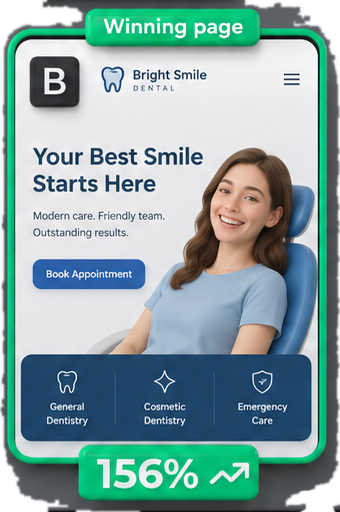
11. A/B Test Your Headlines (But Only Your Headlines)
Most A/B testing advice tells you to test everything at once. That’s a mistake.
When you change 5 things simultaneously, you have no idea which change actually moved the needle.
Start with headline testing:
Your headline is the first thing people see and has the biggest impact on conversion rate.
How to test headlines properly:
Create two landing page variants:
- Version A: Your current headline
- Version B: One new headline (change nothing else)
Run traffic 50/50 until you reach statistical significance (usually 100-200 conversions per variant).
Headline frameworks that tend to convert well:
✅ Result + Timeframe: “Get 100+ Qualified Leads in 30 Days”
✅ Problem + Solution: “Tired of Wasted Ad Spend? Here’s How to Fix It”
✅ Specific Number: “Join 10,000+ Agencies Using Our Platform”
What we’ve seen work:
Our experience suggests testing headlines alone can improve conversion rates by 25-50% in accounts where the original headline was weak or generic.
After you find a winning headline, move on to testing your CTA button, then form length, then imagery.
The Bottom Line on Improving Google Ads Conversion Rates
Your conversion rate is the metric that determines whether your Google Ads campaigns are profitable or not. CTR and quality score are nice, but they don’t pay your bills - or keep your clients happy!
👉 If you’re an agency owner:
Pick 2-3 tactics from this list that you can systematically roll out across your client accounts this month. Document the conversion rate improvements and use them in your quarterly business reviews.
The agencies that win long-term client relationships are the ones that consistently show measurable performance improvements, not the ones with the prettiest dashboards.
👉 If you’re on an in-house team:
Start with the quick wins: negative keywords, ad scheduling, and message match fixes. These require minimal resources and can show results within 2-3 weeks.
Use those quick wins to build credibility with leadership, then push for bigger projects like landing page redesigns or form simplification.
❌ What not to do:
Don’t try to implement all 11 tactics at once. Pick 2-3 that seem most relevant to your situation, test them, measure results, then move to the next batch.
Most accounts we’ve reviewed have 5+ obvious issues that are each costing them 15-30% of their potential conversion rate. Fix those first before getting fancy with advanced tactics.
Start here:
- Verify you’re tracking the right conversion actions (not vanity metrics)
- Spend 30 minutes in your Search Terms Report adding negative keywords
- Check your ad-to-landing-page message match on your top 5 campaigns
- Review your hour-of-day performance and test ad scheduling
These four actions take less than 2 hours total and can improve conversion rates by 20-30% in accounts with obvious issues.
Need help?
At PPC.io, we’re obsessed with driving improved conversion rates for our clients. We don’t just optimize up to the click; we look at the entire customer journey, including landing page design and optimization.
We work with both agencies looking to improve their service offering and in-house teams that need specialized PPC expertise.
FAQ
- What is a good conversion rate for Google Ads?
- A good Google Ads conversion rate varies by industry. B2B typically sees 2.5-3.5%, ecommerce averages 1.5-3%, lead generation ranges from 3-5%, and professional services can reach 4-6%. However, focus on month-over-month improvement rather than hitting industry benchmarks. A 20-30% improvement in your own conversion rate is more valuable than matching an arbitrary industry average.
- How do I calculate my Google Ads conversion rate?
- Conversion rate is calculated by dividing your total conversions by total clicks, then multiplying by 100. The formula is: Conversion Rate = (Conversions ÷ Clicks) × 100. For example, if you got 50 conversions from 2,000 clicks, your conversion rate is 2.5%.
- Why is my Google Ads conversion rate so low?
- The most common reasons for low conversion rates are: ad-to-landing page message mismatch (your ad promises something the landing page doesn't deliver), irrelevant traffic from broad match keywords, forms that are too long or complicated, slow landing page load times, and poor mobile experience. Start by checking your Search Terms Report for irrelevant clicks and verify your landing page matches your ad copy.
- How long does it take to improve Google Ads conversion rates?
- Most conversion rate improvements can be tested and validated within 2-4 weeks, assuming you have sufficient traffic. Quick wins like adding negative keywords, fixing message match, and adjusting ad schedules can show results within 7-10 days. Larger changes like landing page redesigns or form simplification may take 4-6 weeks to reach statistical significance.
- How do negative keywords improve conversion rate?
- Negative keywords prevent your ads from showing for irrelevant searches that waste budget on clicks that won't convert. For example, if you sell premium software, adding "free" as a negative keyword stops your ads from showing to people searching for free alternatives. This increases your conversion rate by ensuring your clicks come from people actually willing to pay for your product.
- What's the fastest way to improve Google Ads conversion rate?
- The fastest conversion rate improvements come from: (1) reviewing your Search Terms Report and adding 50-100 negative keywords to eliminate irrelevant traffic, (2) fixing obvious message mismatch between your ads and landing pages, and (3) implementing ad scheduling to turn off ads during your worst-converting hours. These three tactics take less than 2 hours total and can improve conversion rates by 20-40%.
- How does landing page speed affect Google Ads conversion rate?
- Landing page load time directly impacts conversion rate. Pages that load in 1-3 seconds have baseline conversion rates, but conversion rates drop 20% when load time reaches 3-5 seconds and drop 50% at 5-10 seconds. Use Google PageSpeed Insights to check your landing page speed - if your mobile score is below 70, speed issues are likely costing you conversions.
- Should agencies use the same conversion rate tactics across all client accounts?
- No. Different accounts need different approaches based on their conversion volume, industry, and client constraints. Accounts with 200+ conversions per month can use automated bidding, while accounts under 30 conversions should use Manual CPC. Build master negative keyword lists to scale across similar clients, but customize bid strategies, ad schedules, and landing page recommendations based on each account's specific data and client relationship.