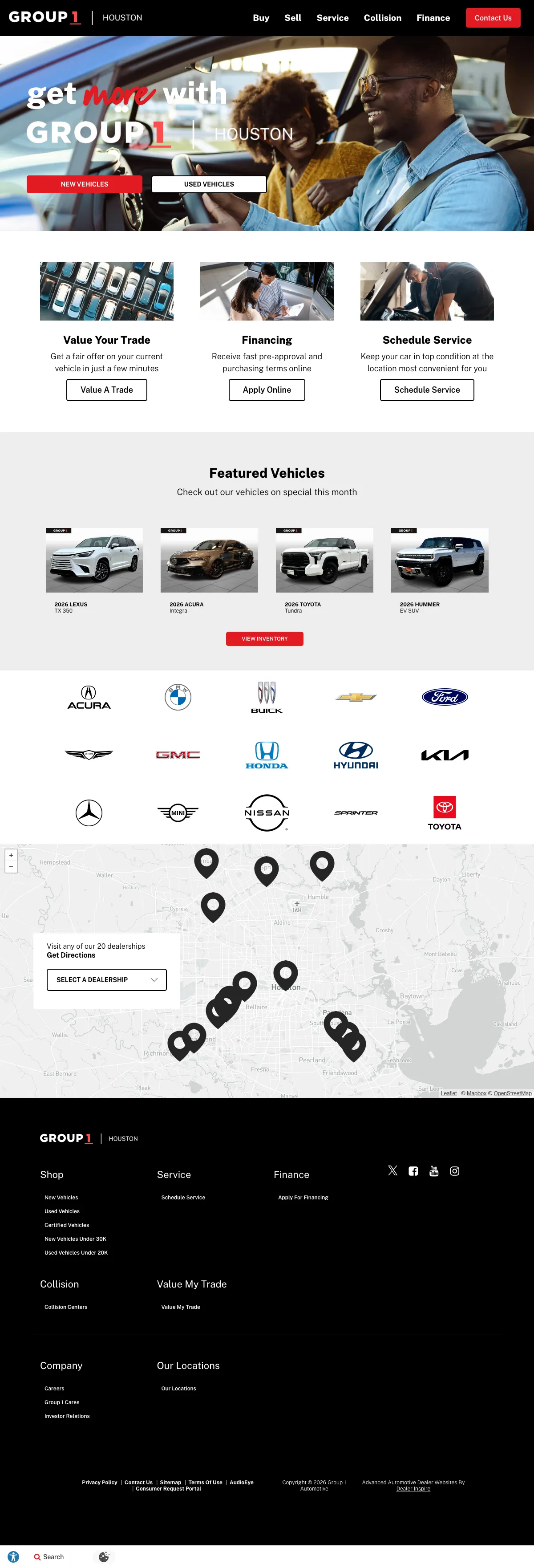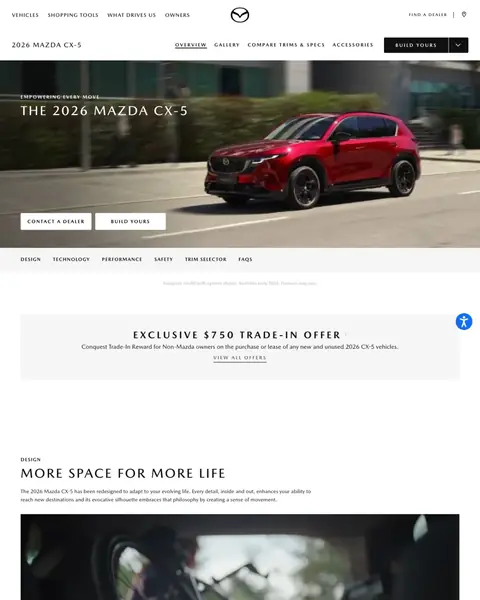

The 7 winners.

The landing pages actually worth stealing from.

Winner #1: cargurus.com

cargurus.com/Cars/l-Used-Toyota-Highlander-Hybrid-d757
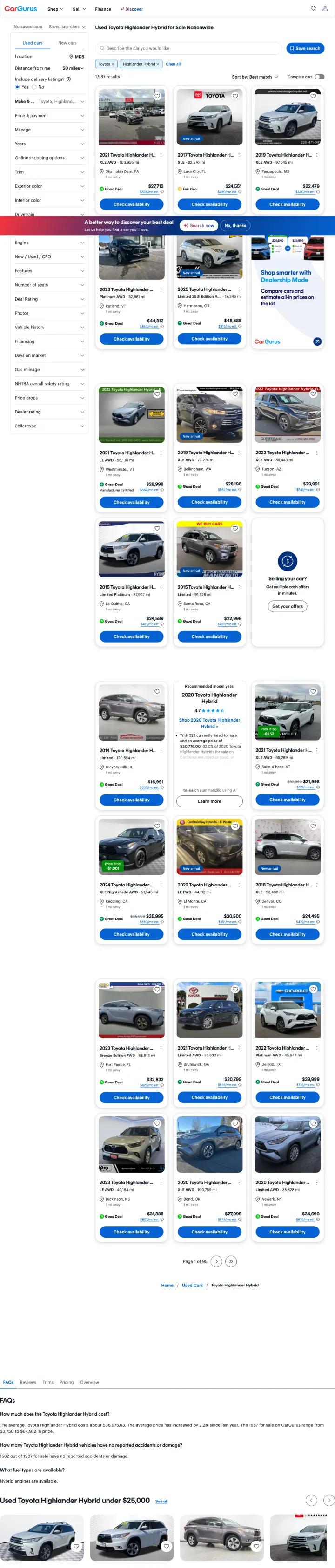
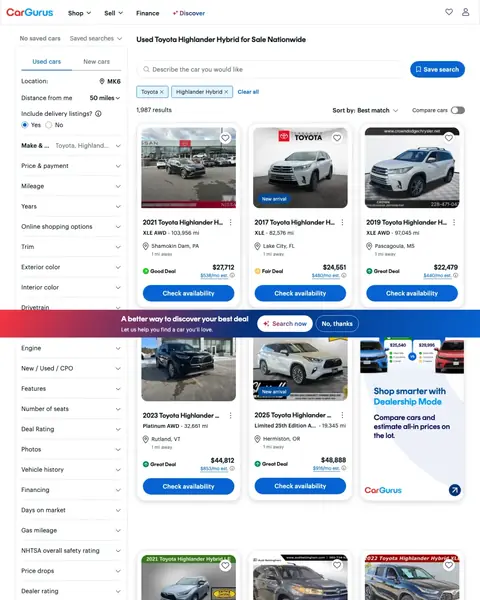
Car dealers landing page example from cargurus.com
  1. 1

    What works

    Search box for a typed sentence

    A box under the page title is labelled ‘Describe the car you would like’. A buyer can type what they want instead of setting filters.

  2. 2

    What works

    Deal label beside every price

    Each card has a label: ‘Good Deal’, ‘Fair Deal’ or ‘Great Deal’. A buyer can see which cars are priced well.

  3. 3

    What gets in the way

    House ad in a car slot

    A card in the grid is an ad for ‘Shop smarter with Dealership Mode’. It is the same size as a car, so a buyer looks at it first.

  4. 4

    What works

    Filter for the safety rating

    The filter list includes ‘NHTSA overall safety rating’. A family buyer can narrow the list by what matters to them.

  5. 5

    What gets in the way

    Average price in the text at the foot

    The text ‘The average Toyota Highlander Hybrid costs about’ is far down the page. A buyer who wants to compare prices needs it near the top.

What to try

Plain verdict beside each price

Print a short label such as ‘Good Deal’ next to the price on every card. A buyer can judge the price without leaving the page.

See the original page

Winner #2: aviscarsales.com

aviscarsales.com/used-inventory/index.htm

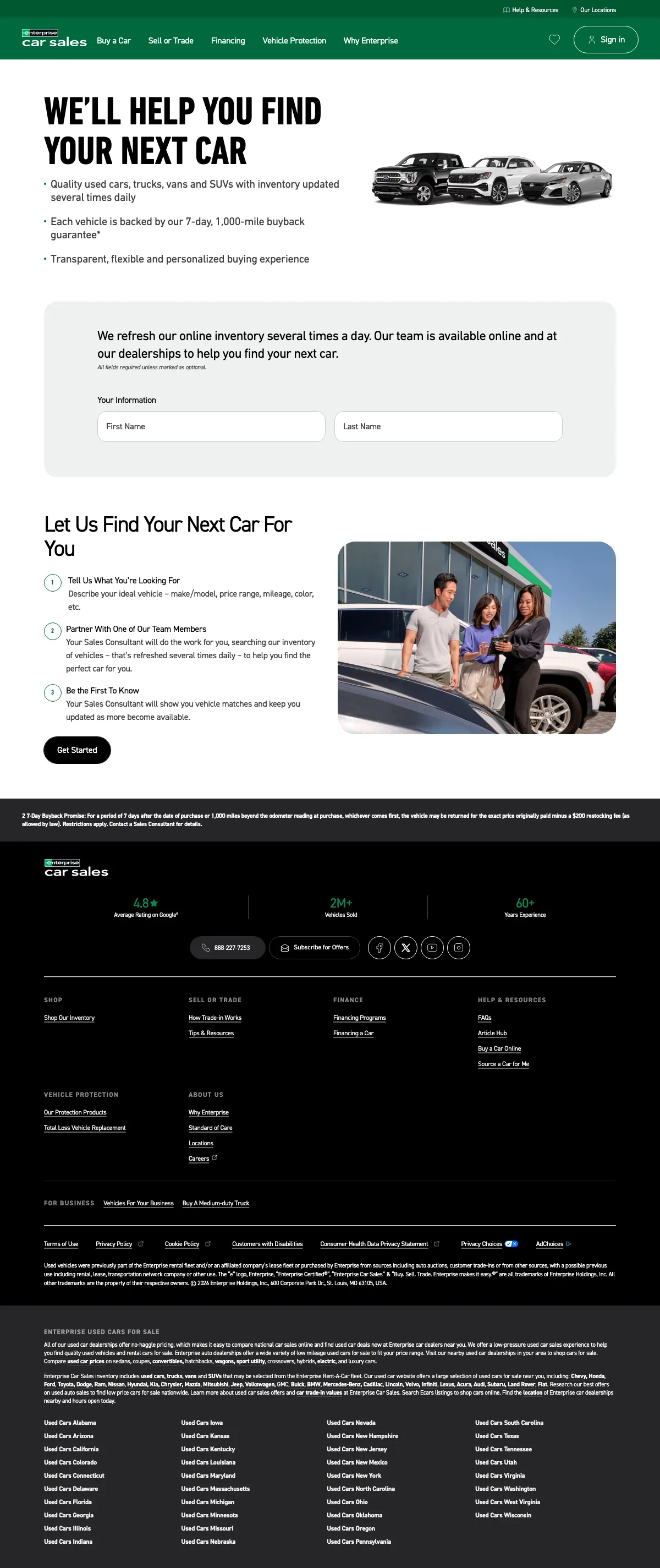
Car dealers landing page example from aviscarsales.com
  1. 1

    What gets in the way

    Phone number in the thin top strip

    The number is in a small bar above the logo. A buyer who is ready to call has to look for it.

  2. 2

    What works

    Offer printed as a number and a term

    The banner reads ‘$0 DOWN AND NO PAYMENTS FOR 90 DAYS’. A buyer can see what it costs to start.

  3. 3

    What works

    Blue Book price above the Avis price

    Each card lists the ‘Kelley Blue Book’ price above the Avis price. A buyer can check the Avis price against an outside number.

  4. 4

    What works

    Trade-in value strip between the cars

    A strip asks ‘What's Your Trade-In Worth?’ between two rows of cars. A buyer with a car to sell can start there.

  5. 5

    What gets in the way

    Payment terms in small grey type

    The line ‘6.29% APR’ is small and grey under the monthly payment. A buyer who cares about the rate has to look closely.

What to try

An outside price above your own

Print a trusted outside price on each card, then your price below it. Name the gap in dollars.

See the original page

Winner #3: enterprisecarsales.com

enterprisecarsales.com/quality-used-inventory

Car dealers landing page example from enterprisecarsales.com
  1. 1

    What gets in the way

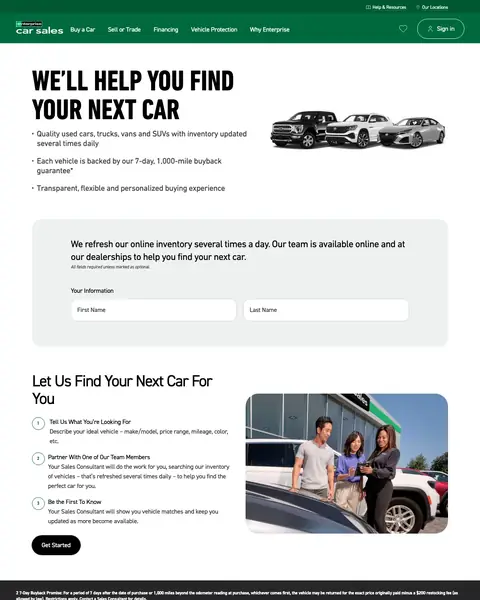
    No car and no price on the page

    The page lists no car for sale and no price. The offer is a consultant who does the searching.

  2. 2

    What works

    Buyback promise in the hero bullets

    The second bullet says ‘Each vehicle is backed by our 7-day, 1,000-mile buyback’. A used car buyer sees what happens if the car is a bad one.

  3. 3

    What works

    Three numbered steps explain the callback

    The steps start with ‘Tell Us What You're Looking For’ and end with a consultant who shows matches. A buyer knows what happens after they ask.

  4. 4

    What gets in the way

    Google score low on the page

    The text ‘Average Rating on Google’ is in a band below the steps. A buyer who is still deciding reaches it late.

  5. 5

    What gets in the way

    Phone number only in the footer band

    The one phone number, 888-227-7253, is in the band near the foot. A buyer who wants to call has to scroll to it.

What to try

Buyback promise beside the first button

Put your return window in the first three lines. A buyer who fears a bad car sees the answer before the form.

See the original page

Winner #4: hertzcarsales.com

hertzcarsales.com/los-angeles/used-cars/affordable-vehicles.htm

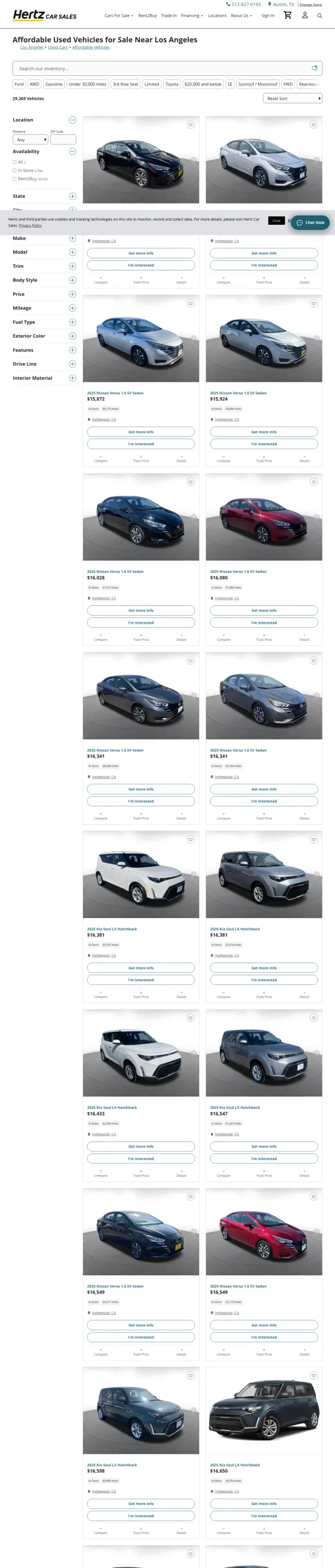
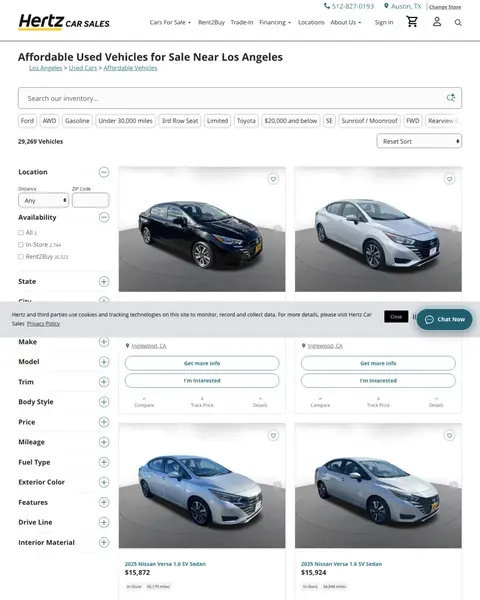
Car dealers landing page example from hertzcarsales.com
  1. 1

    What gets in the way

    Small phone number in the top bar

    The number is in the top bar in small type. A buyer ready to call has little to tap.

  2. 2

    What works

    Headline has the price band and the city

    The headline is ‘Affordable Used Vehicles for Sale Near Los Angeles’. A shopper in Los Angeles can tell the page is for them.

  3. 3

    What works

    Two cars per row

    Each photo fills half the grid. A buyer can judge the condition of a car from the picture.

  4. 4

    What works

    Price, miles and town on every card

    Each card shows the price, the miles and the town under the photo. A buyer can compare cars without opening them.

  5. 5

    What works

    Two buttons on each card

    Each card has ‘Get more info’ above ‘I'm Interested’. A buyer who is only looking has a button, as well as one who is ready.

What to try

A second button on every card

Add a light button beside the main one, such as ‘Get more info’. A buyer who is not ready still has a way in.

See the original page

Winner #5: toyotacertified.com

toyotacertified.com/certification

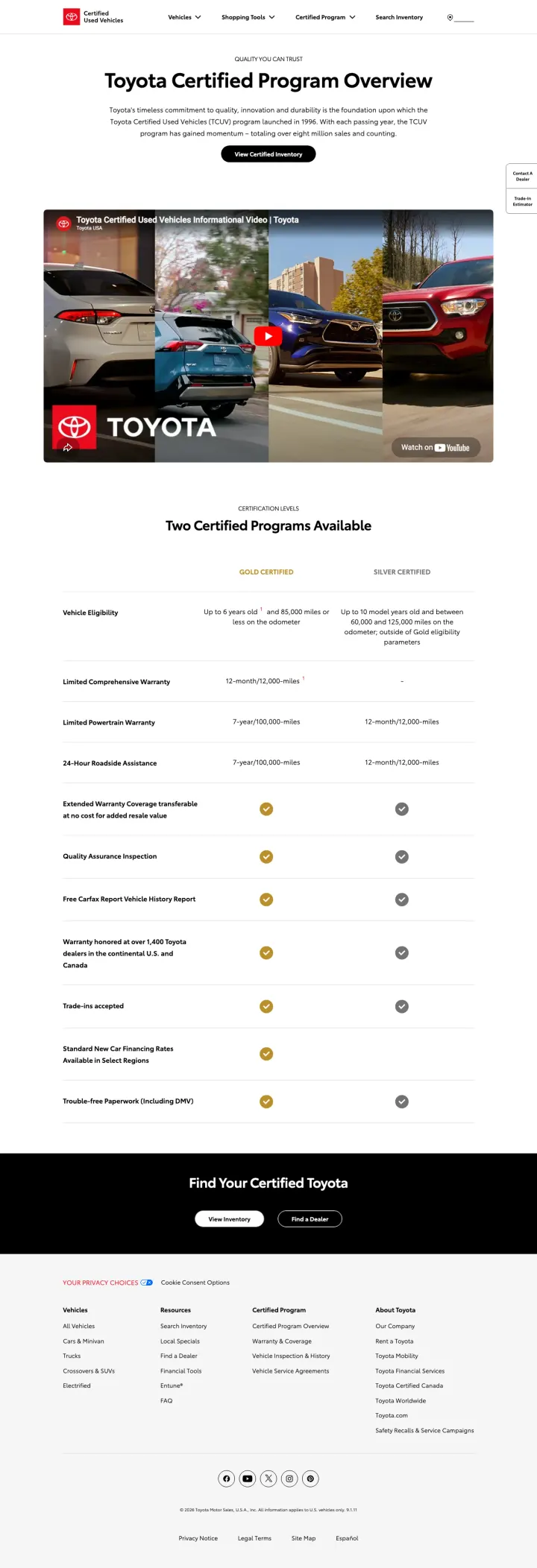
Car dealers landing page example from toyotacertified.com

The search: used 4runner colorado

Sponsored toyotacertified.com

Certified Used 4Runner

  1. 1

    What gets in the way

    Headline is the program and no car

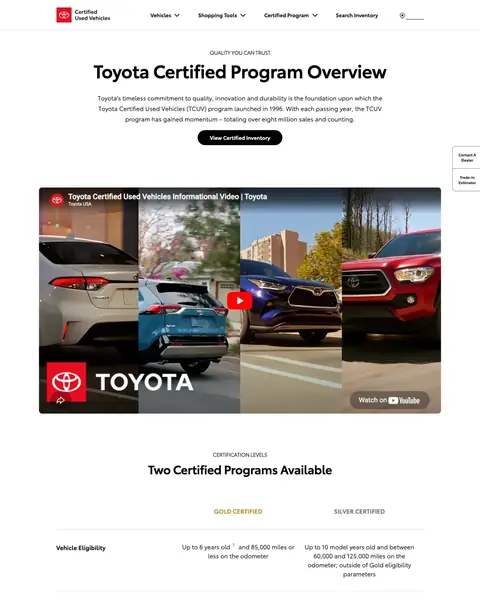
    The search was ‘used 4runner colorado’ and the ad was ‘Certified Used 4Runner’. The headline is ‘Toyota Certified Program Overview’, and the 4Runner is never named.

  2. 2

    What gets in the way

    One button, no price

    The only button under the intro is ‘View Certified Inventory’. The page has no price for a certified 4Runner.

  3. 3

    What works

    Video above the table

    A video titled ‘Toyota Certified Used Vehicles Informational Video’ is under the intro. A buyer who won't read a table can watch instead.

  4. 4

    What works

    Gold and Silver compared row by row

    The table under ‘Two Certified Programs Available’ lists Gold beside Silver for age, miles and warranty. A buyer can see what each level covers.

  5. 5

    What works

    Silver shows a dash where it has no cover

    The Silver column has a dash on the ‘Limited Comprehensive Warranty’ row. Admitting what the lower level lacks makes the Gold column easier to believe.

What to try

The searched car in the headline

Put the model from your ad into the headline. A buyer who searched for it sees it at once.

See the original page

Winner #6: hendrickcars.com

hendrickcars.com/used-inventory/index.htm

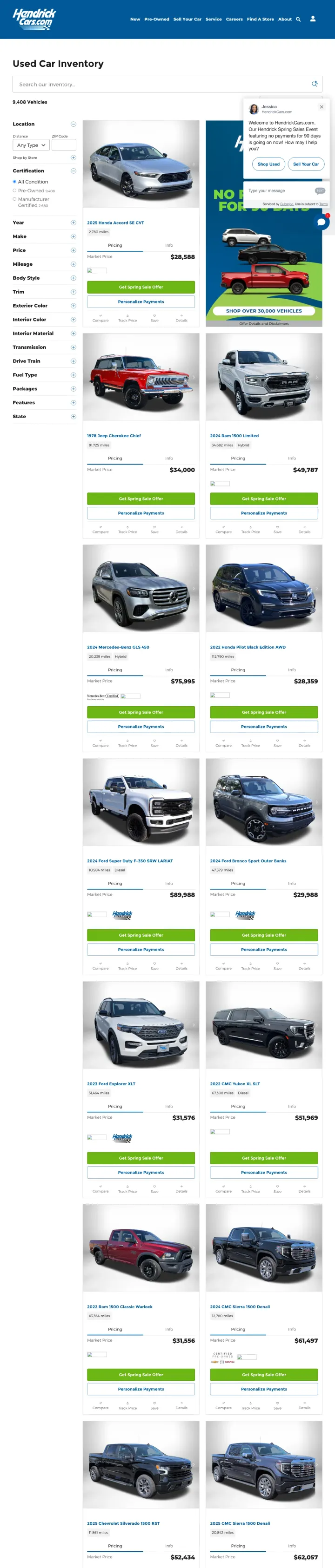
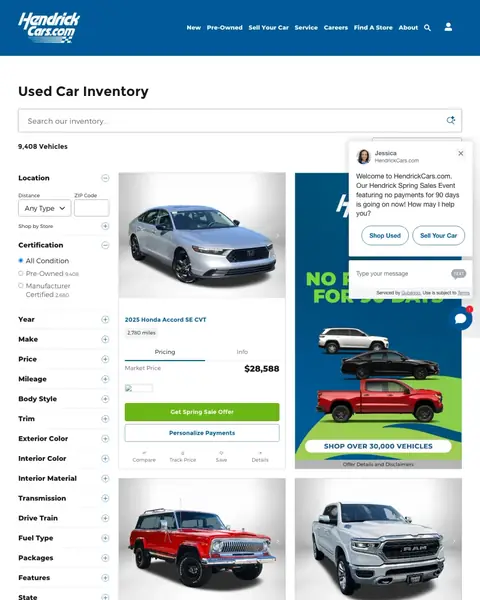
Car dealers landing page example from hendrickcars.com
  1. 1

    What gets in the way

    Headline has no make or town

    The headline is ‘Used Car Inventory’. A buyer from an ad has to read the cards to confirm the page is the right one.

  2. 2

    What works

    Filter for manufacturer certified cars

    The filter list has ‘Manufacturer Certified’ beside the other options. A buyer who wants a certified car narrows the list in one click.

  3. 3

    What works

    Sale named on the button

    The green button is ‘Get Spring Sale Offer’, with ‘Personalize Payments’ below it. The offer is on every car.

  4. 4

    What works

    Tile says how big the stock is

    A tile beside the cars reads ‘SHOP OVER 30,000 VEHICLES’. A buyer can see the choice is wide.

  5. 5

    What gets in the way

    Offer terms in small grey type

    The link ‘Offer Details and Disclaimers’ is small and grey under the sale tile. A buyer who wants the terms has to find it.

What to try

This month's offer on the button

Write the name of your current offer on the card button. The offer is then read on every car.

See the original page

Winner #7: mazdausa.com

mazdausa.com/vehicles/cx-5

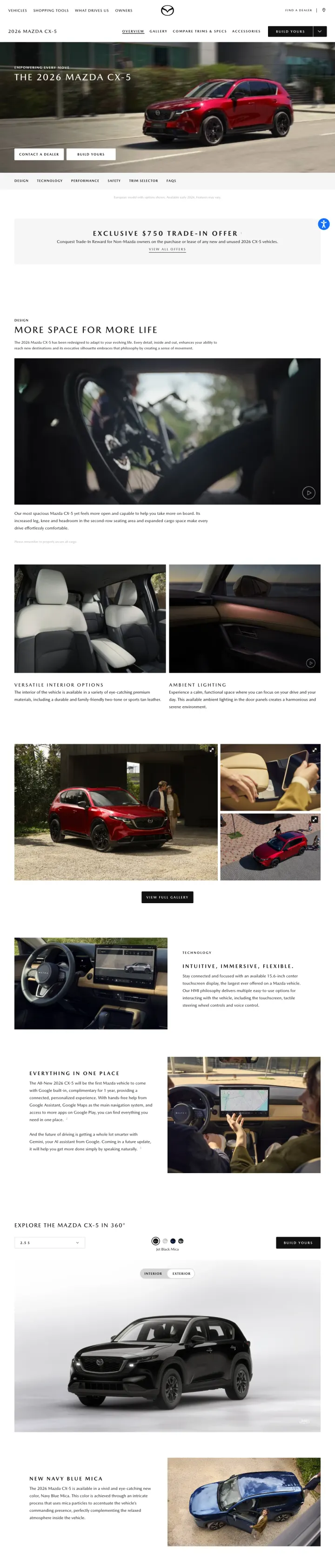
Car dealers landing page example from mazdausa.com
  1. 1

    What works

    Model name over a car in motion

    The first screen has ‘THE 2026 MAZDA CX-5’ over a red car on a street. A buyer can tell at once what the page is about.

  2. 2

    What works

    One button for each kind of buyer

    ‘CONTACT A DEALER’ is for a buyer ready to talk. ‘BUILD YOURS’ is for a buyer who wants to choose a trim first.

  3. 3

    What gets in the way

    Trade-in offer in thin type on grey

    The only price in the first screens is ‘EXCLUSIVE $750 TRADE-IN OFFER’. Thin letters on a pale band are easy to read past.

  4. 4

    What works

    Link to a 360 degree view

    One link is ‘EXPLORE THE MAZDA CX-5 IN 360°’. A buyer can look around the car before visiting a dealer.

What to try

Trade-in offer beside the first button

Move your trade-in offer next to the hero buttons. A buyer with a car to sell sees it before they scroll.

See the original page

What the 7 winners do.

  1. Show a price or a payment on the page

    5 of 7
  2. Give the unsure buyer a second button

    4 of 7
  3. Show a rating or label the buyer trusts

    4 of 7

Wildcards.

Pages that break the playbook in interesting ways.

Wildcard #2: group1auto.com

group1auto.com/houston

Car dealers landing page example from group1auto.com

The search: houston tx dealerships

Sponsored group1auto.com

Houston’s Go-To Dealerships | Trusted Houston Dealerships

  1. 1

    What it gets wrong

    Ad words missing from the headline

    The search was ‘houston tx dealerships’ and the ad was ‘Houston's Go-To Dealerships’. The headline doesn't use those words.

  2. 2

    What makes it work

    Three buttons for three kinds of visitor

    The buttons read ‘Value A Trade’, ‘Apply Online’ and ‘Schedule Service’. A visitor who isn't buying today still has a way in.

  3. 3

    What it gets wrong

    Featured cars show no price

    The row under ‘Featured Vehicles’ shows four cars with a year and a model. No car has a price.

  4. 4

    What makes it work

    Logo grid shows the group sells many makes

    The grid has logos for Acura, Honda, Ford and more. A buyer who hasn't picked a make has reason to stay.

  5. 5

    What makes it work

    Map of the dealerships with a picker

    The map is labelled ‘Visit any of our 20 dealerships’ and has a ‘Get Directions’ menu. A buyer picks the nearest one.

What to try

A price on each featured car

Print the price under every car in the featured row. A buyer then sees which cars fit the budget.

See the original page

The copy bank.

Headlines

Offers

Promises

Next steps

3 pages that waste the click.

  1. auto dealerships mobile al

    Military rebate where the offers should be

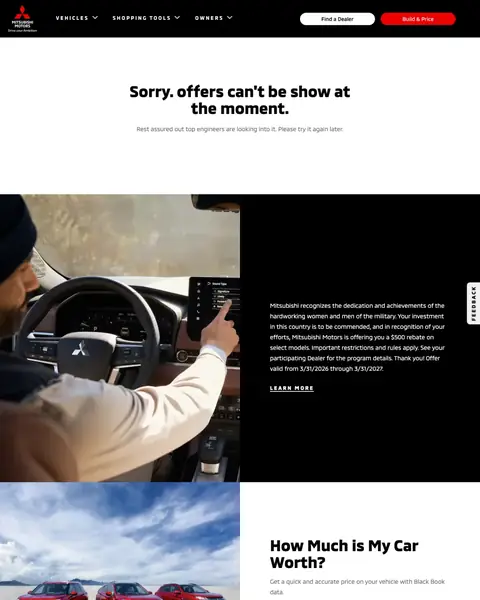
    A buyer who searched ‘auto dealerships mobile al’ sees a banner for a military rebate where the offers should be.

    • Other offerA banner for a military rebate follows the message, where offers should be.
    • Fine printA ‘Disclaimers’ block follows the trade-in tool at the foot of the first screen.
  2. auto dealerships mobile al

    Location question before any car

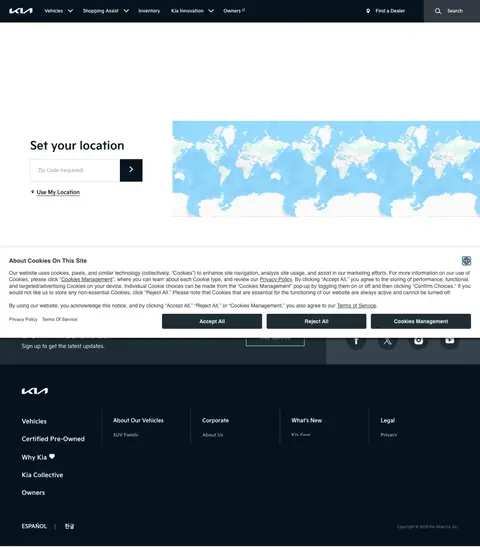
    A buyer who searched ‘auto dealerships mobile al’ sees ‘Set your location’ and a box marked ‘Zip Code (required)’ before anything else.

    • Location gate‘Set your location’ comes before a car, a price or an offer.
    • Required fieldThe box says ‘Zip Code (required)’, so a buyer who wants to browse first can't.
    • Email ask‘Sign up to get the latest updates.’ is an email request before the visitor has seen a car.
  3. arizona gmc dealerships

    Text sign-up covers the page

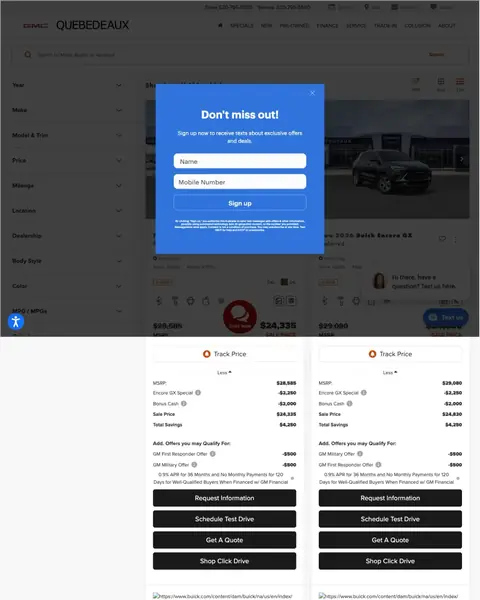
    A buyer who searched ‘arizona gmc dealerships’ sees ‘Don't miss out!’ and a box for a mobile number before anything else.

    • Text sign-upThe pop-up asks for a ‘Mobile Number’ before the buyer sees a price.
    • Two ways to chatA chat box asking ‘Text us here.’ and a ‘Text us’ button appear together.

What we learned.

  1. Put a number in the offer

    Avis prints ‘$0 DOWN AND NO PAYMENTS FOR 90 DAYS’ on its cards. Mazda shows ‘EXCLUSIVE $750 TRADE-IN OFFER’.

  2. Give a buyer two ways in

    Hertz puts ‘Get more info’ above ‘I'm Interested’ on each card. Hendrick pairs ‘Get Spring Sale Offer’ with ‘Personalize Payments’.

  3. Name the town in the headline

    Hertz opens with ‘Affordable Used Vehicles for Sale Near Los Angeles’. A buyer in that town sees the page is for them.

The bottom line

The car dealer pages here that win put a price or a payment on the page, give the unsure buyer a second button and show a label the buyer trusts. The losers open on an error message, a zip code box or a text sign-up.

Postclick is live

Run this on the page your ads point at

Paste the URL your own ads point at. Postclick reads it the way we read these 41 pages, shows what is costing you leads and draws new versions to look at. Your first audit and two design directions are free.

Audit my car dealer page

No card required.

Visit the live page