 Our AI Tools








Agency owner
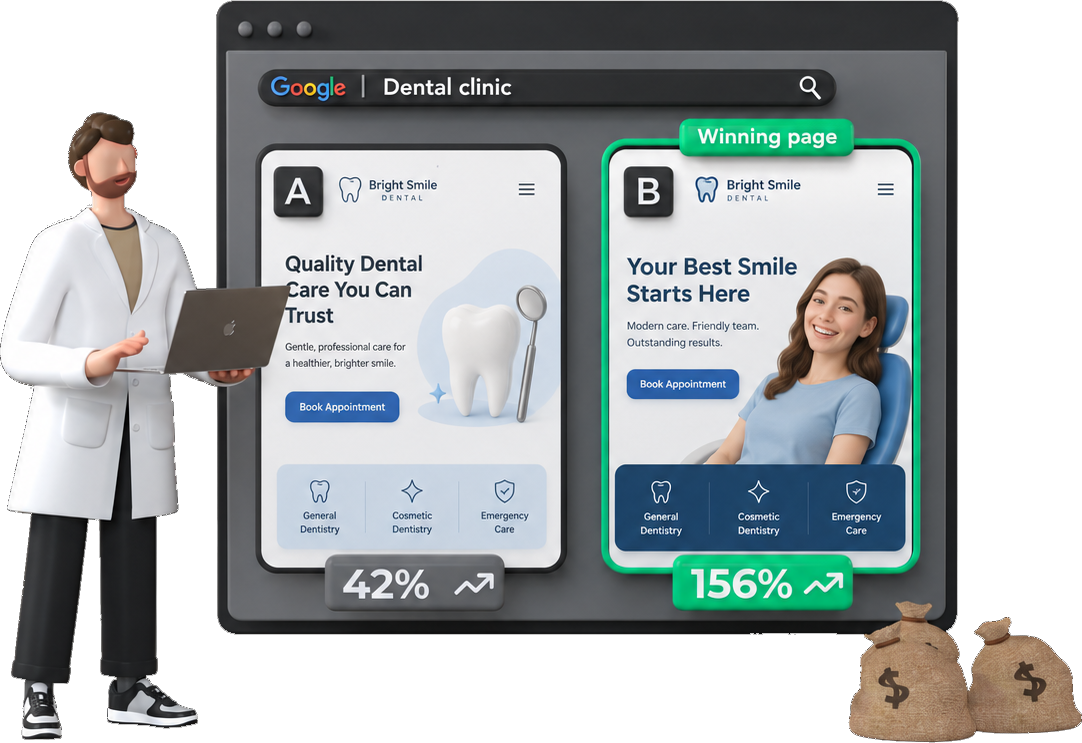
You run the ads, but the client owns the page. Ask for a designer brief and send it to the client the same day.
Landing page CRO MCP for Claude
Ask Claude what's stopping your ad clicks from turning into leads. Postclick reads the audit and Claude gives you the change, the exact words and a way to check it.
Live in the Claude directory

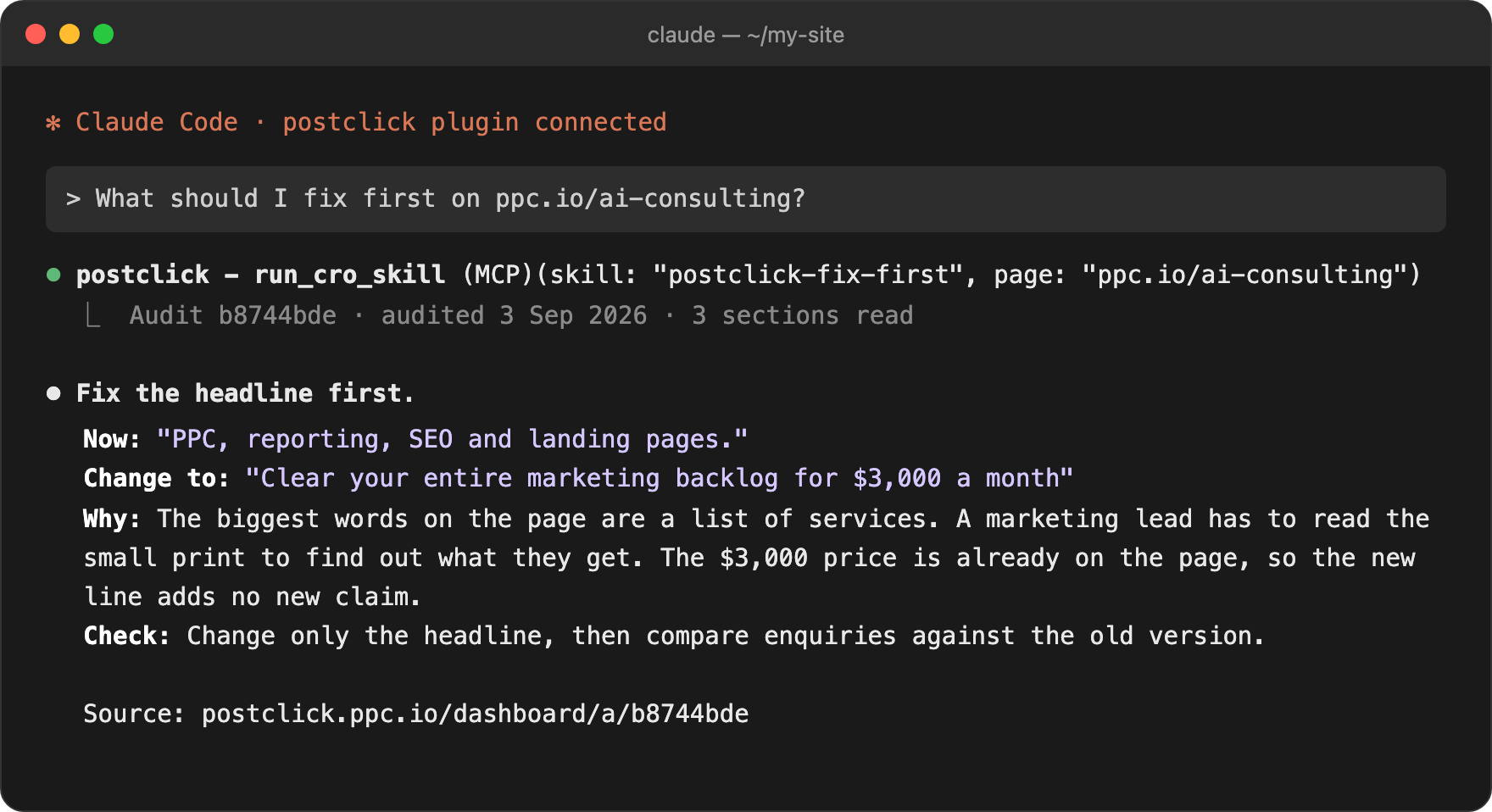
What should I fix first on ppc.io/ai-consulting?
Postclick read the audit of ppc.io/ai-consulting
Fix the headline first.

Set up
Open Settings, then Connectors, and choose Add custom connector.
Name it Postclick and paste the server URL.
https://mcp.ppc.io Select Connect and sign in to Postclick.
Add the Postclick marketplace.
claude plugin marketplace add agencystew/postclick-mcp Install the plugin.
claude plugin install postclick@postclick Type /mcp, pick postclick and sign in on the page that opens.

You sign in on postclick.ppc.io, so Claude never sees your password. Server: https://mcp.ppc.io
Server details
https://mcp.ppc.iopages:read, pages:spendWhat to ask
In Claude Code you can then ask Claude to make the change in your site files.
Who it's for
You run the ads, but the client owns the page. Ask for a designer brief and send it to the client the same day.

You own the page and the budget, and there's no CRO person to ask. Get the one change to make first, with the words.

Your ad numbers look bad when the page is weak. Audit the page before the first call and show the client what to fix.
Comparison
Price
$0
No card. Run it within 30 days of signing up.
Asks first
Reading your saved audits is free. A new audit or a page build waits for your yes.
Every app
Settings, then Connectors, then Add custom connector. Paste the URL and connect.
https://mcp.ppc.io Run this, then type /mcp and sign in.
claude mcp add --transport http postclick https://mcp.ppc.io Plugins, then Add, then Add custom MCP server. Paste the URL, choose OAuth and connect.
https://mcp.ppc.io Add to ~/.cursor/mcp.json
{ "mcpServers": { "postclick": { "url": "https://mcp.ppc.io" } } } grok.com/connectors, then New Connector, then Custom. Paste the URL and connect.
https://mcp.ppc.io Add to ~/.codeium/windsurf/mcp_config.json
{ "mcpServers": { "postclick": { "serverUrl": "https://mcp.ppc.io" } } } Add to .vscode/mcp.json
{ "servers": { "postclick": { "type": "http", "url": "https://mcp.ppc.io" } } } Add to cline_mcp_settings.json
{ "mcpServers": { "postclick": { "type": "streamableHttp", "url": "https://mcp.ppc.io" } } } Run this, then sign in on the page that opens.
codex mcp add postclick --url https://mcp.ppc.io Every app opens the same Postclick sign-in page the first time it connects.
Tools
list_cro_skills Find a landing page skill Free run_cro_skill Improve my landing page Free check_balance Check my plan and page usage Free audit_page Audit a landing page Uses your plan, asks first get_audit Check how an audit is going Free get_audit_report Read the full audit report Free get_competitors Who is bidding against this page Free ask_audit Ask a question about an audit Free generate_concepts Design new versions of a page Uses your plan, asks first get_concepts Show the page designs Free build_page Build a design into a real page Uses your plan, asks first get_build Check how a page build is going Free share_page Create a public link to share Free export_page Download a built page as files Free describe See everything in my Postclick account Free search Search my audits, designs and reports Free fetch Open one audit, design or report Free get_asset Get a design or screenshot image Free publish_page Publish a report to a shareable link Free save_note Save a note on an audit or design Free get_notes Read my saved notes Free Troubleshooting
FAQ
The connector adds Postclick's 21 tools to the Claude app on the web and on desktop. The Claude Code plugin adds the same tools plus 5 skills, like postclick-fix-first, that Claude can run by name. The skills also work on page copy you paste in, with no Postclick account.
It's a hosted MCP server that gives Claude 21 landing page tools. You can read your Postclick audits, rewrite your page copy, check your ad against the page, see competitor ads and build a new page, all from the chat.
https://mcp.ppc.io. It's a remote server over Streamable HTTP with OAuth sign-in, so there's nothing to install.
No. You sign in to Postclick in your browser the first time Claude connects. Claude gets a token and never sees your password.
Claude on the web, on desktop and in Claude Code, plus ChatGPT, Cursor, Grok, Windsurf, VS Code, Cline and Codex. Any app that can add a remote MCP server with OAuth can use it.
Your first audit is free and needs no card. Starter is $70 a month for 10 audits and 2 new landing pages. Pro is $200 a month for 20 audits and 6 new pages.
No. Only 3 tools use your plan: a new audit, page designs and a page build. Before any of them, Claude checks what your plan covers, tells you and waits for your yes. If you asked for that audit or build in your message, that counts as your yes. Reading audits you already have is free.
No. You get the words to change, a brief for your designer, or a new page as one HTML file you own. In Cursor or Claude Code you can then ask the editor to make the change in your files, and you approve it there.
What to fix on the page, ranked, the doubts your buyers have, how well your ad matches the page, and the competitors bidding on the same searches.
Yes. A draft stays private until you ask for a share link or publish it.
One full audit of one page. Run it within 30 days of signing up.
Postclick is live
Add Postclick in 3 steps. Your first audit is free and needs no card.
Not ready to paste a URL? See a finished audit first.
 1 Reads your page and ads 2 Builds a better page live 3 Test it and put it live