 Our AI Tools






Postclick MCP
Give your AI
a landing page expert.
Find what to fix. Get better copy. Turn the best idea into a finished page.
For Claude, ChatGPT and other MCP clients.
What should your agent help with?
Improve my page
Find what to fix first and show the exact change.
Match my ad
Make the landing page deliver what your ad promises.
Win more buyers
Find what makes a good-fit visitor hesitate and help them decide.
Rewrite my copy
Turn audit findings into words you can put on the page.
Brief my designer
Give your designer a clear change to make and a way to check it.
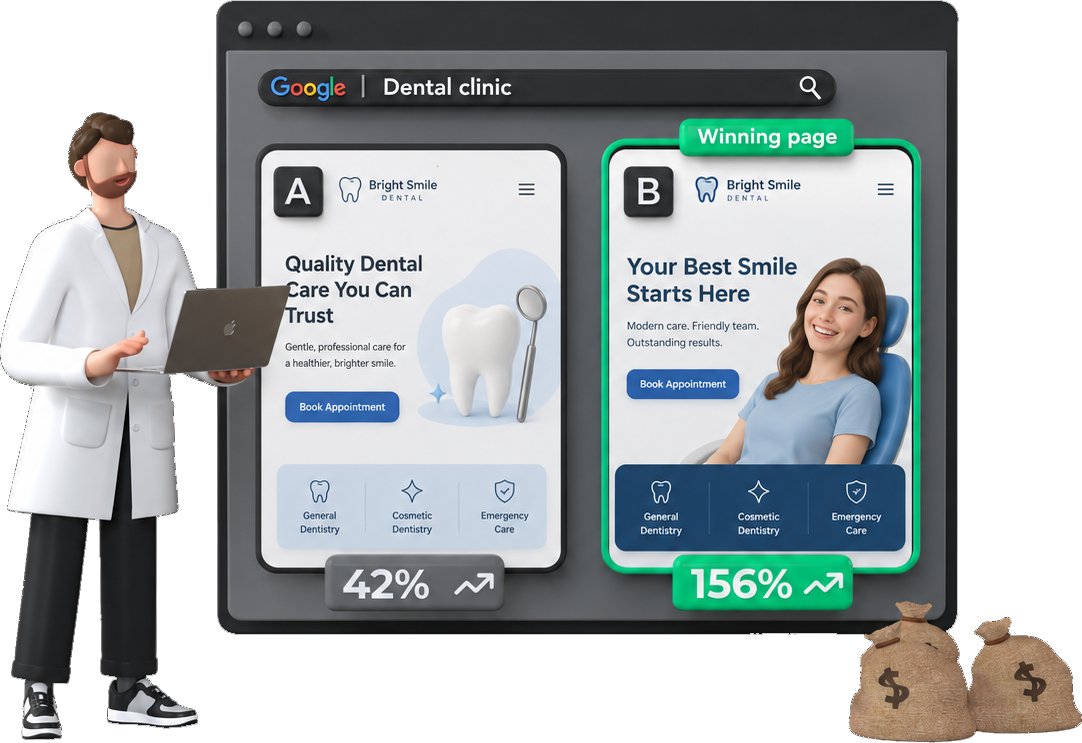
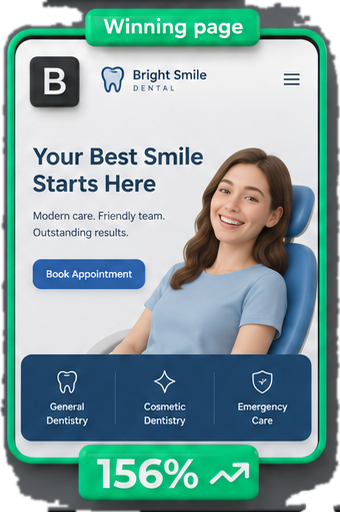
Need a new page? Postclick can audit the original, create design options and build the version you choose. See the real examples ↗
Try one useful change.
Give your assistant your page copy, then use either request. No Postclick account needed.
Make the opening clearer
Use Postclick’s copy rewrite skill. Rewrite my headline, opening and button so a new visitor knows what I offer and what to do next. Keep the facts. Ask before adding a claim.
Get the skill ↗Make the page match the ad
Use Postclick’s message match skill. Compare this ad with this page. What does the ad promise that the page does not explain? Rewrite the opening so they agree.
Get the skill ↗Know what you’re connecting.
Start with what you already have.
Your agent can find saved work by page or client name. Ask for one change, a complete opening or a short note for your designer.
Keep control of new work.
Using a skill with a saved audit needs your connected account, without starting paid work. A skill never starts a new audit. New audits, designs and builds use your Postclick plan; your agent checks the live quote and follows your spending permission. See plans ↗
Keep the findings honest.
Buyer reactions are modelled, and suggested changes still need testing. Postclick does not guarantee higher conversions or manage your ad account.
Connect in Claude
Claude on the web and desktop
- Open Settings, then Connectors.
- Choose Add custom connector.
- Name it Postclick and paste
https://mcp.ppc.io - Select Connect and sign in to Postclick.
- Check the access Postclick lists, then approve it.
Claude Code
claude mcp add --transport http postclick https://mcp.ppc.ioThen type /mcp, pick postclick and sign in on the page that opens.
Claude Code plugin
claude plugin marketplace add agencystew/postclick-mcpclaude plugin install postclick@postclickThe plugin adds the same server and the five landing page skills. Source on GitHub ↗
Every tool
| Tool | What it does | Changes | Cost |
|---|---|---|---|
list_cro_skills | Find a landing page skill | Read only | Free |
run_cro_skill | Improve my landing page | Read only | Free |
check_balance | Check my plan and page usage | Read only | Free |
audit_page | Audit a landing page | Saves to your account | Check plan coverage first |
get_audit | Check how an audit is going | Read only | Free |
get_audit_report | Read the full audit report | Read only | Free |
get_competitors | Who is bidding against this page | Read only | Free |
ask_audit | Ask a question about an audit | Read only | Free |
generate_concepts | Design new versions of a page | Saves to your account | Check plan coverage first |
get_concepts | Show the page designs | Read only | Free |
build_page | Build a design into a real page | Saves to your account | Check plan coverage first |
get_build | Check how a page build is going | Read only | Free |
share_page | Create a public link to share | Makes a public link | Free |
export_page | Download a built page as files | Read only | Free |
describe | See everything in my Postclick account | Read only | Free |
search | Search my audits, designs and reports | Read only | Free |
fetch | Open one audit, design or report | Read only | Free |
get_asset | Get a design or screenshot image | Read only | Free |
publish_page | Publish a report to a shareable link | Makes a public link | Free |
save_note | Save a note on an audit or design | Saves to your account | Free |
get_notes | Read my saved notes | Read only | Free |
Only audit_page, generate_concepts and build_page start new work. Your assistant checks the live quote with check_balance and follows your spending permission. share_page and publish_page make a link anyone can open, so Claude uses them only when you ask.
Access and data
Sign-in
OAuth 2.1 with PKCE (S256 only) and dynamic client registration at https://mcp.ppc.io/oauth/register. You sign in on postclick.ppc.io, never inside the assistant, and Claude never sees your password.
Each access token lasts 30 days, then you connect again, and Postclick stores only a SHA-256 hash of it rather than the token itself.
Scopes
| Scope | What it allows |
|---|---|
pages:read | Read your audits, designs and reports. |
pages:spend | Start work under your plan, and save or share pages. |
What it reads
Your own Postclick workspace - audits, designs, builds and notes - and nothing from anyone else's workspace.
What it writes
New audits, designs, builds and notes, public share links and published report pages. Without pages:spend it can only read.
What it never touches
Your Google Ads or any other ad account, because the connector has no way to reach them.
Disconnect
In Claude
Open Settings, then Connectors, and remove Postclick. In Claude Code, run claude mcp remove postclick.
In Postclick
Open Connections ↗ and select Disconnect next to the assistant. Its token stops working at once.
Support
If something breaks or a step here is unclear, send us a message ↗ with what you tried and what you saw.
For agents and researchers.
Everything needed to evaluate the connection is public.
Try the MCP without an account
POST this request to https://mcp.ppc.io with Content-Type: application/json. It reads the public skill catalogue.
{
  "jsonrpc": "2.0",
  "id": 1,
  "method": "tools/call",
  "params": {
    "name": "list_cro_skills",
    "arguments": {}
  }
}
How the first session works
After the user connects, use run_cro_skill for existing work. For a new audit, use check_balance to get the live price, obtain spending approval, then use audit_page. Read its status before reporting findings. Designs, builds and public sharing are separate actions.
What has been tested?
Tested signed in, with the tools running, in Claude as a custom connector and in Claude Code. The OpenAI Responses API was tested with the public skill catalogue. Custom connector availability depends on the assistant and account plan.