We analyzed 43 project management landing pages. Only 4 are worth stealing from.

43 landing pages screened
From real project management software Google Ads campaigns in the US
4 winners curated
The landing pages actually worth stealing from
5 burning money
So you know exactly what to avoid
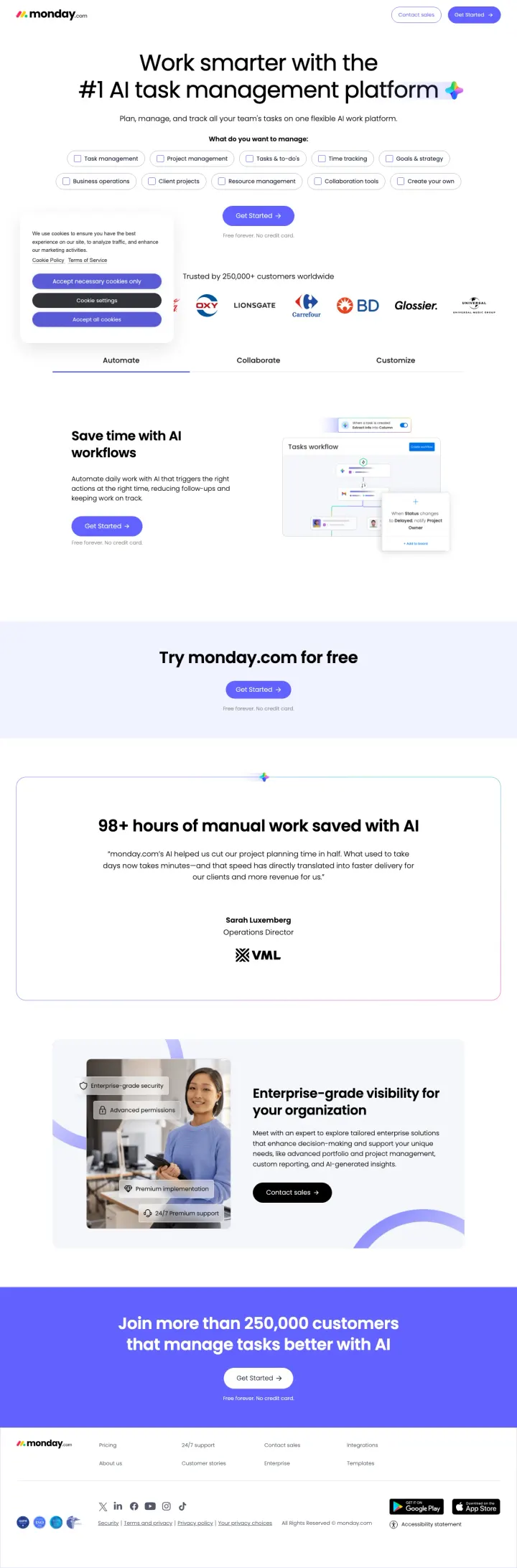
Put a Google SSO signup button and email field directly in the hero section (not behind a 'Get Started' button that navigates to another page) with 'Free forever. No credit card.' underneath, so the visitor can start a trial without leaving the landing page.
- made personal
Use-case selector dropdown in the hero ('What do you want to manage: Task management / Project management / Tasks & to-dos / Time tracking') lets the visitor self-identify their need, which both personalizes the experience and gives monday.com data about search intent for follow-up
- reviews
Named testimonial with specific metric: Sarah Luxemberg, Operations Director - '98+ hours of manual work saved with AI' - is more credible than an anonymous '5-star review' because it attaches a real name, title, and quantified outcome to the claim
- answers doubts
'Free forever. No credit card.' repeated 5 times throughout the page hammers the zero-risk message - it answers the risk-averse visitor's worry ('what if my team tries it and we have to switch again') by making the trial cost nothing to walk away from
- wrong promise
The hero product screenshots are too small to read - the Kanban board, Gantt chart, and dashboard views are visible but the text and data within them are illegible, which defeats the purpose of showing the product
- wrong promise
The tabbed section (Automate / Collaborate / Customize) below the fold shows product screenshots but requires clicking each tab - visitors who do not click miss 2 of 3 product views, and tab interaction rates on landing pages are typically under 20%
- wrong promise
The enterprise section ('Enterprise-grade visibility for your organization / Contact sales') creates a jarring tone shift from the self-serve trial messaging above it - the visitor was being told 'free forever' and is now being asked to talk to sales
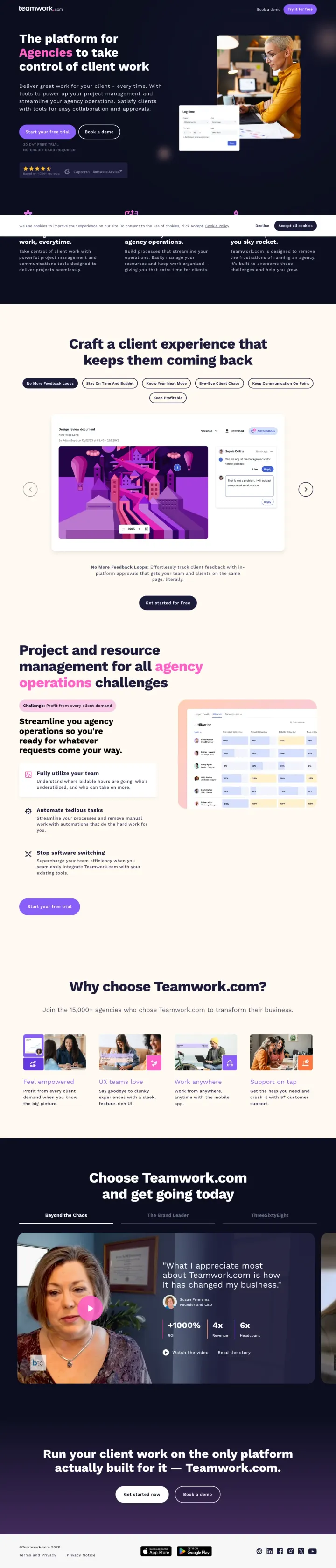
Name your buyer segment in the headline ('The platform for Agencies') and back it with a named customer video testimonial that includes specific business metrics ('+1000% ROI, 4x Revenue') so the visitor sees both who this is for and proof that it works in the first two scrolls.
- reviews
Three named video testimonials (Susan Fennema/Beyond the Chaos, Kyle Duford/The Brand Leader, Kara Pitre/ThreeSixtyEight) with company logos, headshots, and specific metrics - video testimonials from real agency owners are nearly impossible to fake and carry more weight than any G2 badge in this market
- layout
Tab-based feature showcase ('No More Feedback Loops' / 'Stay On Time And Budget' / 'Know Your Next Move') with product screenshots for each tab - this lets the visitor self-select the feature they care about instead of forcing them through a linear scroll of features they may not need
- reviews
Dual CTA structure ('Start your free trial' + 'Book a demo') with '30 DAY FREE TRIAL / NO CREDIT CARD REQUIRED' directly below serves both self-serve evaluators and enterprise buyers who need a guided walkthrough
- looks off
The hero section uses a real photo of people in a meeting room, but it is not a product screenshot - the visitor has to scroll past the hero to see what Teamwork.com actually looks like, which wastes the most valuable real estate on the page
- too much at once
Three full video transcripts are embedded as text on the page (1,000+ words of transcript), adding significant page weight and visual clutter that most visitors will scroll past without reading
- looks off
The 'Why choose Teamwork.com?' section shows four thumbnail images (profitability, UX, remote work, support) but they are stock-style thumbnails that do not show the actual product - a missed opportunity to reinforce the product demo
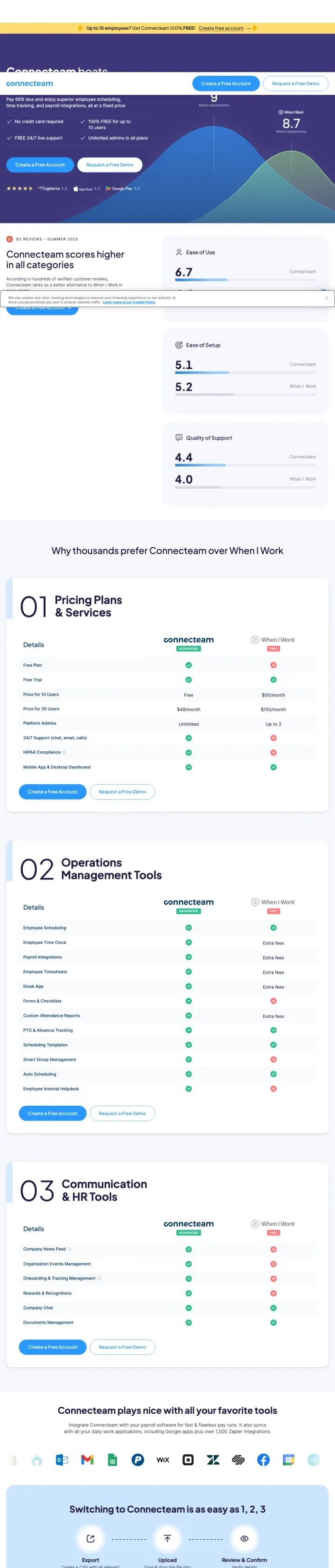
Build a dedicated comparison landing page that names the competitor in the headline, shows side-by-side pricing, and includes numbered feature advantages so the visitor scanning for differences finds them instantly.
- fewer steps
Numbered feature sections (01 Pricing Plans & Savings, 02 Operations Management Tools, 03 Communication & HR Tools) give the comparison page a structured, scannable format that lets visitors jump to the category they care about most
- credentials
Direct pricing comparison showing Connecteam at $0 for up to 10 users vs When I Work paid plans makes the cost advantage immediately tangible without requiring the visitor to visit a separate pricing page
- reviews
Named testimonial with photo and star rating (4.5/5 from a real user) placed mid-page breaks up the comparison content, so the visitor hears from a named customer at the exact moment they are deciding whether to believe the page
- too much at once
The page is extremely long with dense text comparisons that repeat similar points across sections, causing scroll fatigue before the visitor reaches the CTA at the bottom
- focus
The hero gradient (purple to blue) with small text and a busy chart graphic makes the above-fold content hard to parse quickly, and the primary value proposition gets lost in visual noise
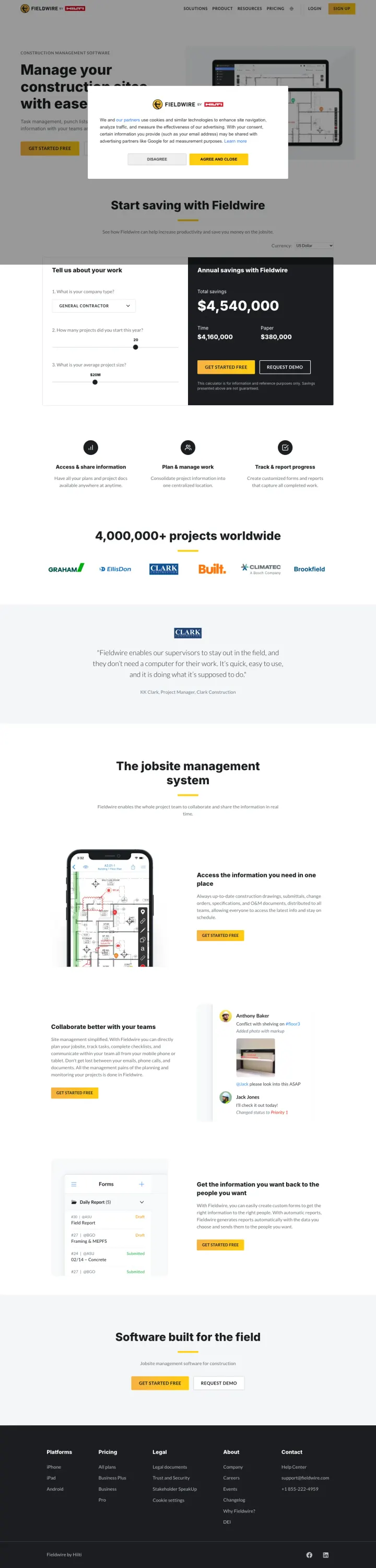
Embed an interactive savings calculator above the fold that shows annual dollar savings based on company size, so the visitor sees their personal ROI before they even scroll to features.
- price framing
Interactive savings calculator (Annual savings with Fieldwire: $4,540,000) dynamically updates based on company size inputs, turning the hero section into a personalized ROI tool rather than a generic value proposition
- reviews
Named testimonial from a Project Manager (Fieldwire enables our superintendents to stay out in the field...it is quite easy to use) uses plain language that sounds authentic, not marketing-polished
- reviews
Transparent pricing in the footer section ($23/user/month and $59/user/month) with feature breakdowns means a mid-market buyer never has to book a sales call just to learn the price
- missing proof
The hero headline (Manage your construction projects with ease) is generic and could describe any of 50 construction PM tools, wasting the most valuable real estate on a slogan instead of the savings calculator headline
- extra steps
The How can we help modal overlay in the hero with 4 options adds an unnecessary decision step before the visitor can engage with the page content
What every winner does
Wildcards
Pages that break the playbook in interesting ways
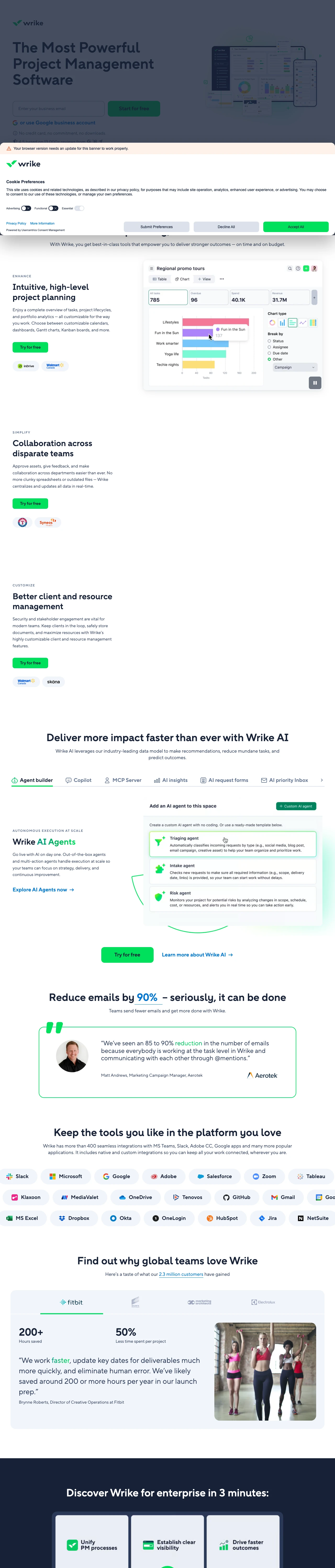
Why this breaks the rules: Wrike runs its paid traffic through trial.wrike.com, a separate subdomain with zero site navigation, no hamburger menu, and no exit paths except the signup form. Most PM tools send PPC traffic to their main marketing site with full navigation (monday.com has 8 nav links, ClickUp has 5). Wrike eliminates every distraction and puts the email signup field directly in the hero - not behind a button, not on a separate page. The page then unfolds into a full-length content page (1,465 words, 20 headings) that rivals the depth of a homepage, but with no way to leave except signing up. This is a hybrid: the conversion focus of a squeeze page combined with the content depth of a marketing site.
- reviews
Email input field directly in the hero with 'Start for free' button and 'No credit card, no commitment, no downloads' subtext leaves nothing in the way - the visitor can start a trial without clicking through to another page, entering a credit card, or downloading anything
- credentials
Customer logo pairs under each feature section (inDrive + Walmart under Planning, Texas Rangers + Syneos Health under Collaboration) contextualize each feature with real customers who use it for that specific purpose, which is more persuasive than a generic logo wall
- fewer steps
The AI section (Agent builder, Copilot, MCP Server, AI insights, AI request forms, AI priority inbox, AI content) is the most comprehensive AI feature showcase in this set - it positions Wrike as the AI-forward choice by dedicating 7 subsections to AI capabilities while competitors mention AI in passing
- missing proof
The headline 'Effortless planning, smarter execution' is generic enough to describe any of 100 PM tools - it does not match the ad copy ('Plan Projects With Wrike' / 'Design Your Own AI Agents') and wastes the above-fold real estate on a slogan instead of a specific value proposition
- wrong promise
The page is extremely long (1,465 words, 20 headings) with repeating content sections - the same three feature tabs (Planning, Collaboration, Resource Management) appear to be duplicated, which suggests a CMS template issue rather than intentional design
- no proof
The named testimonial (Matt Andrews, Aerotek: '85 to 90% reduction in emails') appears far below the fold in a section most visitors will never reach - burying the most credible customer quote on the page
Losers
5 pages burning ad spend with fundamental issues
Every click to these pages costs real money. We found pages with nothing to back their claims, mismatched intent, weak CTAs, and messaging that ignores what the searcher actually typed. Here is what to avoid.
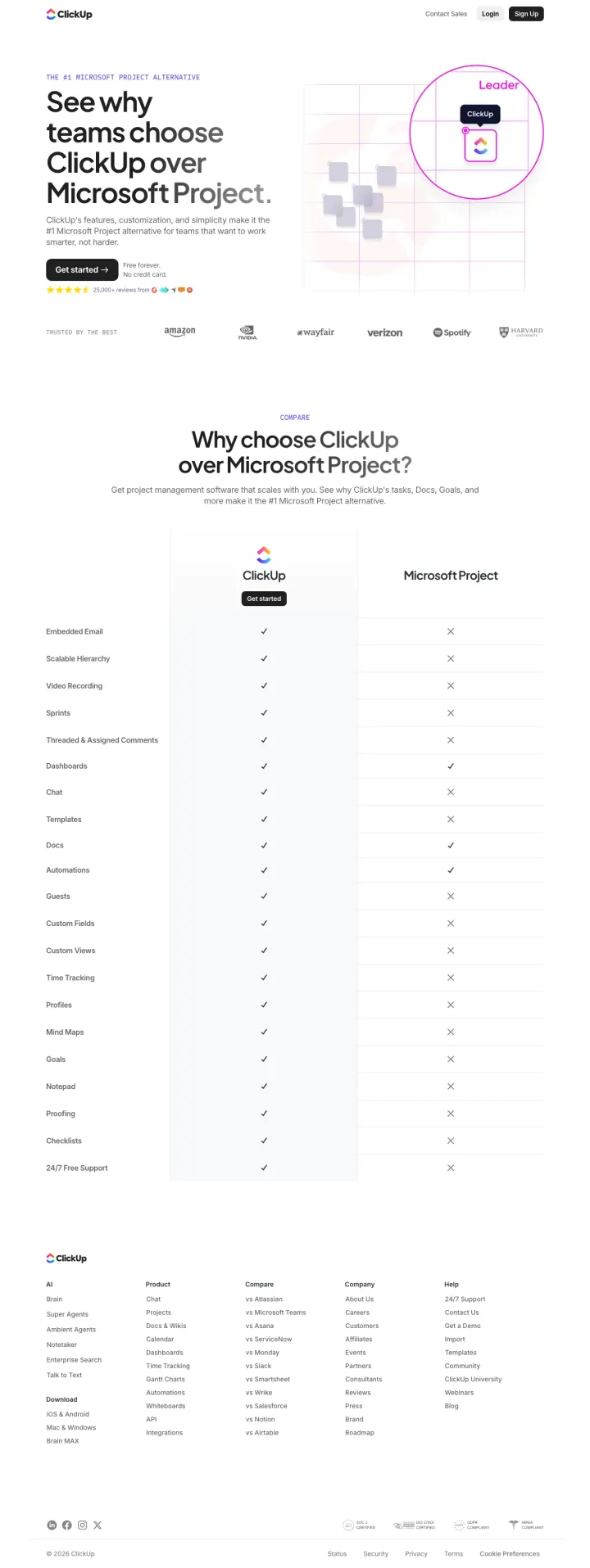
The ad promises 'Free Project Management Tool' and 'Plan, track, and collaborate on projects in one place', but the page delivers a feature comparison table with checkmarks and X marks instead of showing what ClickUp actually looks like. At PM software CPCs of $20-60, every click pays for a spreadsheet of checkmarks that tells the visitor ClickUp has 'Embedded Email' and 'Mind Maps' without showing either one. The visitor searching for a Microsoft Project alternative wants to SEE the alternative, not read a checklist.
- looks off
Zero product screenshots on the entire page - the visitor sees ClickUp's logo and a G2 comparison badge but never sees what the actual product looks like, which is the single most important thing an evaluator needs to see
- wrong promise
The 21-row feature comparison table uses only checkmarks and X marks with no detail - 'Sprints: check' tells the visitor nothing about how ClickUp handles sprints compared to Microsoft Project's implementation, and analytical buyers (55% of this market) need more than binary yes/no
- no proof
The page has no testimonials, no customer logos, no usage statistics, and no named users - the only evidence anyone uses it is '25,000+ reviews' with a G2 badge, which is generic and unverifiable from the page itself
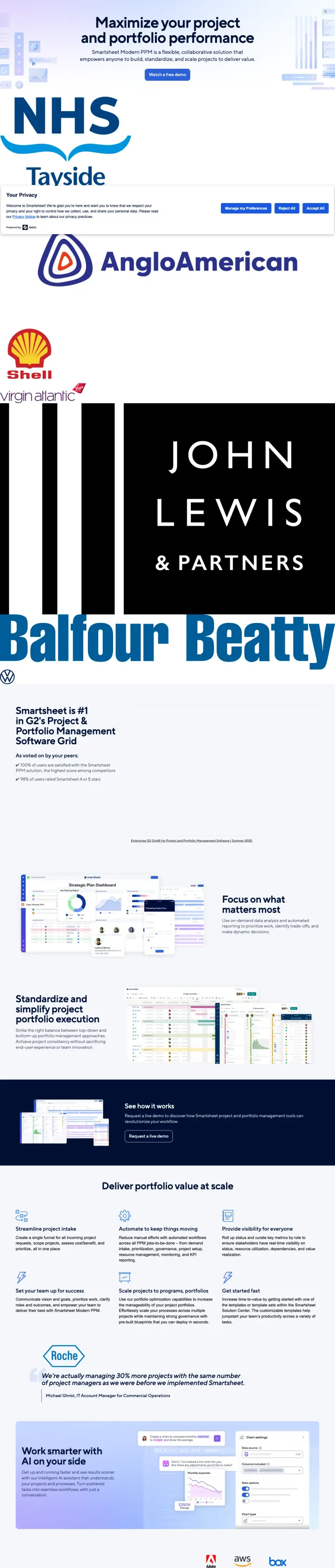
The ad says 'Watch a Free Demo' and 'Workflow Automation Tool' but the page above the fold is dominated by 6 massive enterprise logos (NHS, Tayside, Anglo American, Shell, John Lewis, Balfour Beatty) with no product screenshot and no demo embed. At $20-60 CPCs, the visitor clicks expecting to see the tool in action and instead sees a corporate credential display. The 'Watch a free demo' CTA button leads to a form, not an actual demo - so even the promised demo requires giving up personal information first.
- wrong promise
Enterprise logos (NHS, Shell, John Lewis, Balfour Beatty) take up roughly 60% of the above-fold visual space, pushing the actual value proposition and product screenshots far below - the visitor sees who uses Smartsheet before they see what Smartsheet does
- extra steps
The primary CTA 'Watch a free demo' leads to a gated form, not an embedded demo video - this is a bait-and-switch that will frustrate the 30% Red (dominant) visitors who clicked expecting to watch something immediately, not fill out a lead gen form
- wrong promise
No free trial or self-serve signup option anywhere on the page - in a market where every competitor offers 'free forever / no credit card', Smartsheet forces every visitor through a sales-gated demo request, which filters out the majority of evaluators who prefer to try before talking to sales
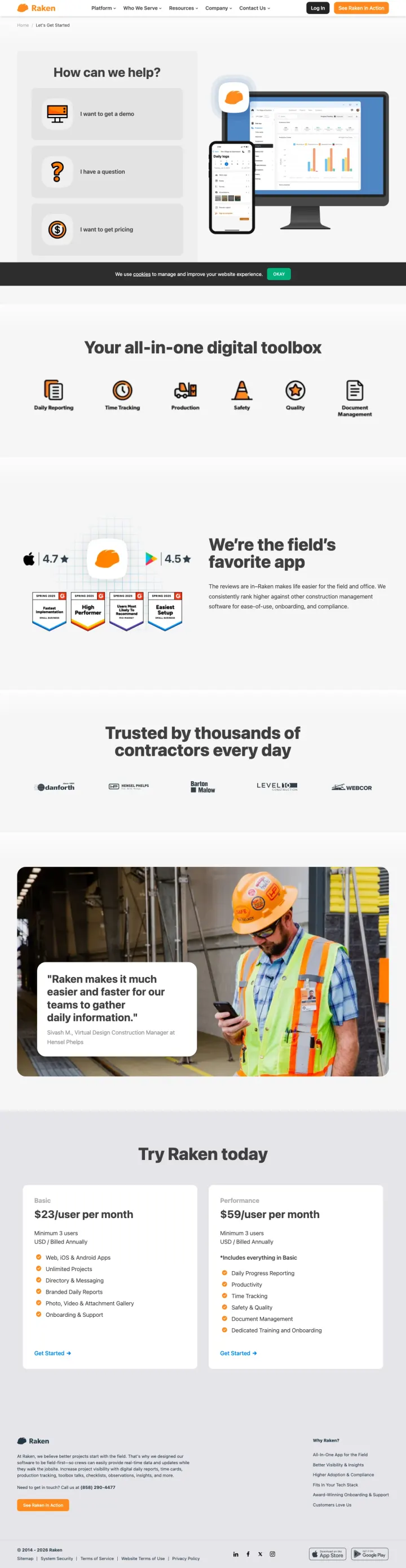
The visitor clicks a branded ad for Raken and lands on a page where the hero is a modal asking How can we help? with four options (get a demo, pricing, suggestion, support). The visitor already searched for Raken by name, so they know what Raken is. Instead of immediately showing the product and the customers who already use it, the page forces a routing decision. At branded keyword CPCs, every click is from a visitor who already has intent. Making them self-triage before seeing any content wastes the highest-intent traffic in the account.
- wrong promise
The hero modal (How can we help?) with four navigation options blocks the visitor from seeing the page content, adding an unnecessary click before they can evaluate the product
- missing proof
The headline Your all-in-one digital toolbox appears below the fold after the modal, and is generic enough to describe any construction software, not specifically Raken
- no proof
The testimonial (Raken makes it much easier and faster for our teams to gather daily information) is not attributed to a named person or company, making it unverifiable and weak
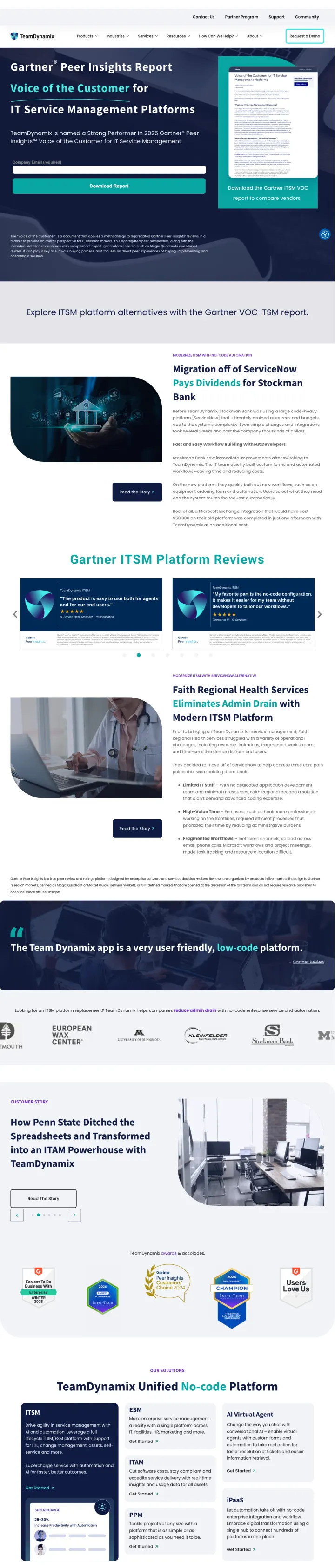
The visitor clicks an ad for IT Service Management software and lands on a page selling a Gartner Peer Insights Report download, not the actual product. The hero headline (Voice of the Customer for IT Service Management Platforms) and primary CTA (download the report) mean the visitor has to trade their contact information for a third-party PDF before they can learn anything about TeamDynamix. At ITSM software CPCs, the visitor wanted to evaluate a tool and instead got a lead magnet funnel. The case studies and testimonials lower on the page are strong, but they are buried behind a content gate that most PPC visitors will bounce from.
- wrong promise
The hero leads with a Gartner report download instead of showing the product, forcing the visitor into a content gate before they can evaluate TeamDynamix as a solution
- no proof
The Faith Regional Health Services testimonial (The Team Dynamix app is a very user friendly, low-code platform) is the strongest product validation on the page but appears below two full scroll heights of Gartner report content
- extra steps
No free trial, no product demo, no interactive element anywhere on the page. Every conversion path requires form submission, which filters out the majority of SaaS evaluators who expect to try before buying
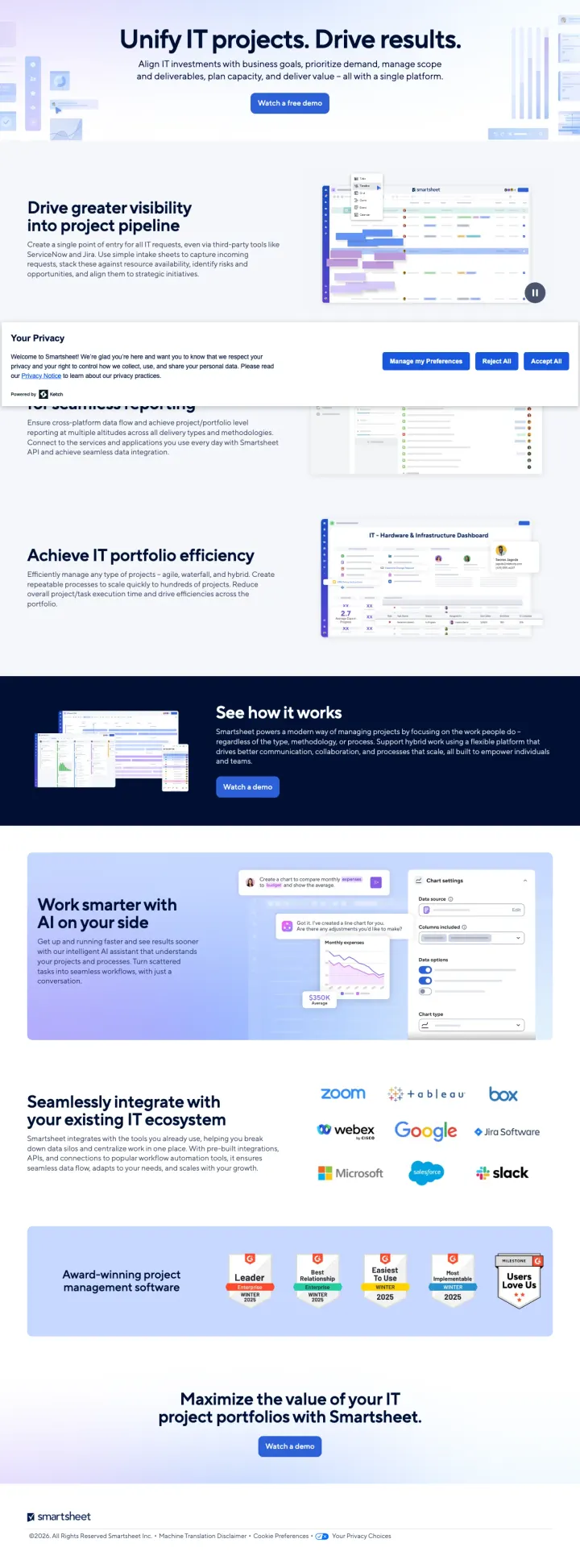
The ad promises a Free Demo for IT Portfolio Management, and the page above the fold shows 'Unify IT projects. Drive results.' with a 'Watch a free demo' button. But a large Your Privacy consent modal occupies the center of the viewport, covering the demo CTA and the first product screenshot. The visitor has to dismiss a modal before they can engage with any content. At $20-40 CPCs on IT PM terms like 'collaboration platforms' and 'collaborative tools online' ($1,000-8,100 monthly volume), the first interaction every PPC visitor has with this page is a cookie-consent decision, not a product evaluation.
- missing proof
A large 'Your Privacy' consent modal sits in the middle of the viewport on first load, covering the primary 'Watch a free demo' CTA and the hero product screenshot - every PPC visitor's first action is dismissing a modal instead of evaluating the product
- no proof
No pricing, no named testimonial, no customer logos above the fold. The only thing standing behind the page is the Smartsheet brand itself. For a $20-40 CPC visitor evaluating enterprise IT PM tools, the page offers zero peer proof before asking for a demo booking
- extra steps
Every CTA on the page routes to '/contact/it-portfolio-management-demo' which gates the demo behind a form. No self-serve trial, no ungated product tour, no phone number. The page is built entirely around one conversion event (booking a demo) with no lighter-touch alternative for visitors not ready to talk to sales
What we learned
Niche positioning by buyer type outperforms generic PM messaging
Teamwork.com targets agencies specifically ('The platform for Agencies to take control of client work') and matches ad copy ('Agency Management Software') precisely. Monday.com targets task management searchers with '#1 AI task management platform'. Connecteam targets hourly-workforce managers with a 'When I Work alternative' pitch. In a market with 100+ viable tools, pages that define WHO they are for convert better than pages that try to be everything for everyone.
Inline signup forms beat click-to-signup CTA buttons for free-trial funnels
Wrike embeds an email input field directly in the hero with 'Start for free' next to it. Monday.com offers Google SSO signup plus an email field. Both remove the intermediate step of clicking a CTA button, navigating to a signup page, and then entering an email. In a market where every competitor offers a free trial, the differentiator is not whether you have a free trial but how few clicks it takes to start one. Pages that use CTA buttons only add an unnecessary step at $20-60 per click.
Product screenshots showing real workflow views do selling that copy cannot
Wrike shows actual Gantt charts, Kanban boards, and AI copilot interfaces in context. Teamwork.com shows its feedback approval UI, resource planner, and reporting dashboards. Fieldwire shows blueprint markup screens native to construction workflows. The screenshot IS the proof. Pages that describe features in text without showing them force the visitor to imagine what the tool looks like, which is a losing strategy when competitors are showing it.
Named testimonials with quantified outcomes beat logo walls for considered purchases
Teamwork.com's Susan Fennema testimonial includes specific metrics: '+1000% ROI, 4x Revenue, 6x Headcount.' Monday.com quotes Sarah Luxemberg by name with '98+ hours of manual work saved with AI.' Smartsheet quotes Michael Ghrist: 'managing 30% more projects with the same number of project managers.' Logo walls are table stakes that every PM tool has; named testimonials with numbers are rare enough to differentiate.
Winners pick a specific buyer segment (agencies, construction crews, hourly-workforce managers) and align every element to that segment. The losers either show a feature checklist without product visuals, target enterprise PPM buyers with a demo-gated funnel that asks for a meeting before it shows anything, or send brand-term traffic to a page with minimal conversion path.
If you're building a page like these yourself, here's my comparison of AI landing page builders, with prices and what each one is best for.
Now point postclick at your own page
Fieldwire is one of our four winners. Its hero headline still says 'Manage your construction projects with ease' - which could be any of 50 construction PM tools. PM software CPCs run $20-60, and every click lands on that slogan. Honestly, it's harder to spot on your own page. Give postclick the URL your ads point at. It reads the page the way a paid visitor does, names what's losing you trials, then designs new versions and builds the one you pick. The first audit and two concepts are free.