Our AI Tools












The first time I ran an AI-assisted audit on a Google Ads account, it surfaced three issues in about 90 seconds that would have taken me 20 minutes to find manually.
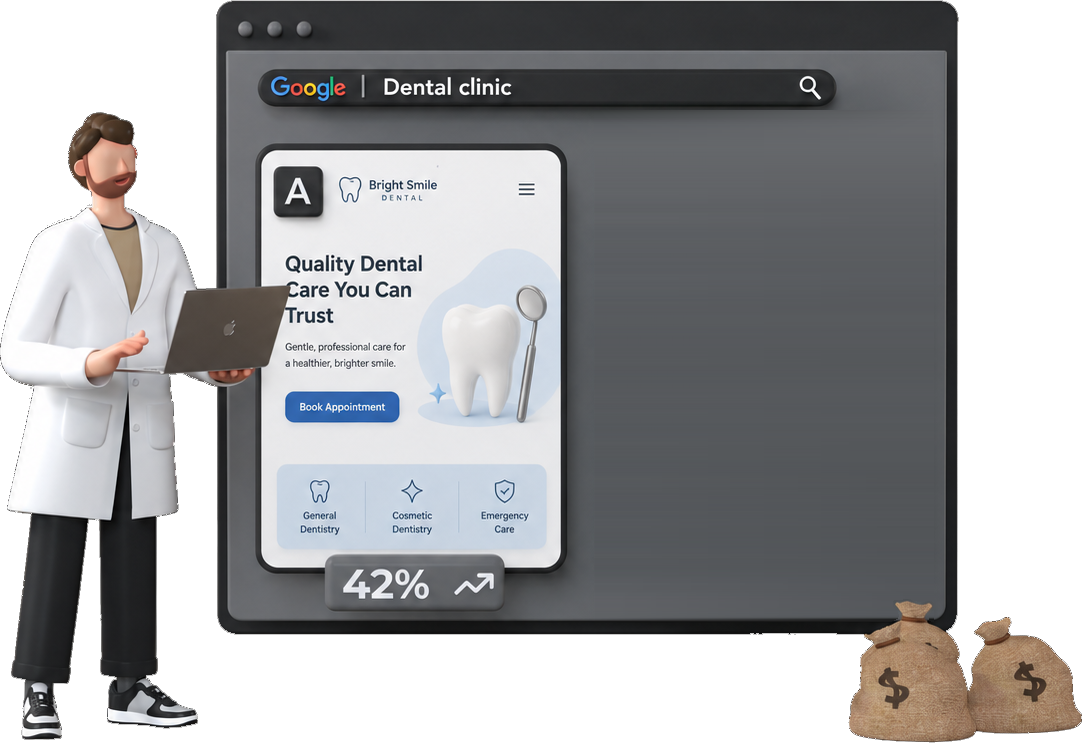
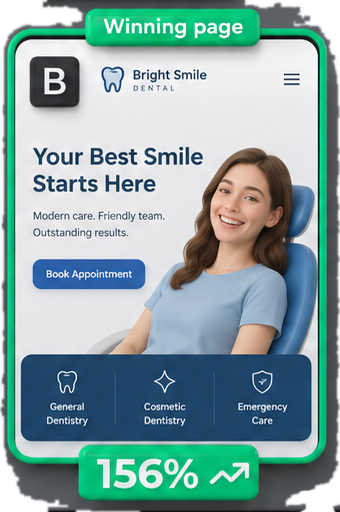
I was impressed. Then I asked it a follow-up question about whether the conversion strategy made sense for the business. The answer was confidently wrong. The same thing happens on landing pages, where AI is reliable at some jobs and misleading at others .
👉 The honest summary
AI is genuinely useful in specific places and dangerously limited in others, and most of what you will read online covers one of those without the other.
Below: what it actually catches, what it misses, and how to structure the workflow so you use it where it helps rather than trusting it where it does not.
What “AI Audit” Actually Means
Before getting into what AI can and can’t do, it’s worth being clear on what people actually mean when they say “AI audit.” It’s not one thing, and the method you use changes what’s possible. These methods are only part of the wider AI toolkit for the job .
Method 1: Conversational queries via MCP
This is the most capable approach right now. You connect your Google Ads account directly to Claude or ChatGPT using MCP (Model Context Protocol) , then query your live account data in plain English.
No CSV exports. No copy-pasting. You ask questions and get answers pulled straight from your account.
I’ve set this up using the Google Ads MCP connector and run queries against live accounts. The official Google Ads MCP server needs a Google Cloud project with Explorer access and OAuth credentials. Google retired developer tokens on 9 September 2026.
If you want to set this up yourself, we have a full guide for connecting Google Ads to Claude via MCP and a separate one for ChatGPT .
Method 2: Prompt-based analysis with exported data
This is what most people start with. You export a report from Google Ads (search terms, campaign performance, keyword data), paste it into Claude or ChatGPT, and ask it to find problems.
It works, but with caveats. The AI can only see what you paste. If you export campaign-level data and ask about ad group performance, it’ll either guess or tell you it can’t answer. The quality of the output is entirely dependent on the quality of the data you give it.
Method 3: Dedicated AI audit agents
Tools like PPC.io give you a dedicated audit agent that runs the same checks every time : it connects directly to your account via the Google Ads API and runs structured analysis automatically, flagging wasted spend, structural issues, and bidding anomalies, without you having to know what questions to ask.
The difference from Method 1 is consistency. You’re not relying on prompts. The agent runs an identical pass across every account.
For agencies managing 10+ clients, that consistency matters more than flexibility. For an in-house team running one account deeply, Method 1 may give you more control over what you’re investigating.
PPC.io runs the same audit checks every time, no prompts required
Connect your account and the agent flags wasted spend, structural issues, and bidding anomalies automatically. Business context is loaded in before the agents run, so findings are relevant rather than generic.
Method 4: Google’s built-in Ask Advisor
Worth a mention because it requires zero setup. It’s built directly into the Google Ads interface. It launched as Ads Advisor in November 2025 and became Ask Advisor in May 2026. It surfaces AI-generated recommendations based on your account data, and it can make changes once you approve them. Just be aware of the conflict of interest: Google’s suggestions have a tendency to point toward more spend, broader targeting, and features that benefit the platform. Treat it as one input. It is no audit.
All four methods have a place. But they are not interchangeable, and most articles that claim “AI can audit your Google Ads account” are describing Method 2 with a CSV export.
Where AI Genuinely Earns Its Place
Spotting structural patterns across campaigns
If you have 20 campaigns, manually checking each one for issues like missing ad group negatives, single-ad ad groups, or campaigns sharing budgets that are cannibalising each other takes time. AI can scan that structure in seconds and surface the anomalies.
This is where MCP particularly shines for agencies. Instead of clicking through accounts one by one, you can ask “which campaigns have fewer than two active ads per ad group?” across an entire account and get a list immediately.
Search term analysis
Reviewing search terms is one of the most tedious parts of any audit. AI handles the pattern recognition well: grouping irrelevant queries by theme, identifying where broad match is pulling in clearly off-topic traffic, flagging terms that are spending without converting.
What would take an hour of spreadsheet work becomes a 10-minute conversation. You still need to make the final call on what to negative out, but the initial triage is faster.
Flagging neglected settings
AI is good at catching the things that get quietly forgotten. Bid adjustments that haven’t been reviewed in six months. Ad schedules that were set up at launch and never revisited. Campaigns with auto-applied recommendations still switched on.
These aren’t glamorous findings. But they’re the kind of issues that quietly drain performance and rarely show up unless someone specifically looks.
When we read the settings on 100 accounts in August 2026, 32 had auto-applied recommendations switched on. In the Performance Max campaigns, 42 of 84 had served at least one page the advertiser never picked.

Cross-campaign inconsistency
For in-house teams, this one is underrated. If your brand campaign and your non-brand campaigns are using inconsistent conversion goals, or if your target CPA settings vary wildly across campaigns with no strategic reason, AI will flag it. A human auditor might miss it if they’re reviewing campaigns in isolation.
First-pass ad copy review
AI can review RSA headline and description combinations and identify obvious issues: duplicate messaging across pinned positions, CTAs missing entirely, headlines that don’t include the primary keyword. It’s not a substitute for a proper copy review, but it’s a useful first filter.

Where AI Hits Its Ceiling
This is the part most AI audit content skips entirely. Understanding where AI breaks down isn’t pessimism. It’s what stops you from acting on bad advice.
It doesn’t know your business
This is the biggest one. AI can tell you your conversion rate dropped last month. It can’t tell you whether that matters, because it doesn’t know you ran a price promotion in the same period, or that your sales team was at a conference and closed half as many leads.
Context that lives outside the Google Ads account is invisible to AI. And a lot of the most important audit questions depend on that context.
It can’t assess conversion quality
AI sees the conversion data you’ve given Google. If you’re tracking form fills but 60% of those leads are unqualified, AI has no way to know that. It will happily recommend you scale a campaign that’s producing junk leads because the reported CPA looks efficient.
It also can’t tell which conversion actions matter. The median account we read in August 2026 had 9 primary conversion actions, and Smart Bidding bids toward all of them. An AI audit will count them for you. It can’t tell you which ones mean money.

This is a particular issue for in-house teams where the sales and marketing data often sit in separate systems. If offline conversion data isn’t flowing back into Google Ads, AI is working with an incomplete picture, and it won’t tell you that’s the problem.
It struggles with strategic intent
Ask AI why a campaign is structured a certain way and it’ll guess. It doesn’t know you intentionally separated brand terms into their own campaign to protect budget. It doesn’t know that ad group exists to test messaging for a new product launch. It doesn’t know that the low-spend campaign is a placeholder for Q4.
Strategic decisions leave no metadata. AI audits what it can see. The reasons behind the setup stay invisible to it.
Consistency problems with conversational AI
This one surprised me when I first noticed it. Ask Claude or ChatGPT the same question about your account data twice, phrased slightly differently, and you can get meaningfully different answers.
For one-off analysis that’s fine. You’re in the loop and can sense-check the output. For anything you’re running repeatedly across multiple client accounts, inconsistency becomes a real problem.
How PPC.io solves the consistency problem
Before running any agents, PPC.io takes your business context into account: your goals, your account structure, what good performance actually looks like for your specific situation. The agents then work within that framework, so the same question gets the same answer on every account you manage.
It won’t catch what it’s not looking for
Conversational AI via MCP is only as good as your questions. If you don’t ask about impression share, you won’t get impression share findings. If you don’t ask about landing page mismatch, nothing flags it.
This is a real limitation for agencies onboarding new client accounts. You don’t always know what you don’t know yet, and AI won’t surface the unexpected the way an experienced human auditor will when they’re browsing through an account with fresh eyes.

The MCP Difference: What It Actually Changes
If you’ve read this far and you’re thinking “conversational AI sounds useful but fragile,” that’s the right read. MCP changes the dynamic in one important way: it removes the data preparation step entirely.
Without MCP, an AI-assisted audit looks like this: You decide what to investigate, export the relevant data, paste it in, ask your questions, and interpret the output. The AI is reactive. It answers what you ask, based on what you gave it.
With MCP connected, the AI has direct read access to your live account. You can ask questions in plain English and it queries the data itself to answer. That’s a meaningful shift in workflow. You’re no longer manually exporting before every question.
What MCP can actually query
It’s worth being specific here, because the marketing around MCP connectors tends to oversell what’s possible in practice.
The Google Ads MCP works by translating your natural language questions into GAQL (Google Ads Query Language) and executing them against your account. That means it can query campaigns, ad groups, keywords, budgets, and yes, search terms. But there’s a real constraint: context windows.
If your account has thousands of search terms, you can’t pull them all at once. You’d need to filter down first (by campaign, date range, or spend threshold) and know the right questions to ask to get useful results back. It’s genuinely powerful for specific, targeted queries. It’s not a replacement for proper search term analysis across a large account.
A note on setup
The TrueClicks connector we used to point people to has been archived. The route now is Google’s official Google Ads MCP server, which needs a Google Cloud project with Explorer access and OAuth credentials. Guides that still ask for a developer token are out of date. Our MCP guide has the current steps.
Where MCP fits in an audit workflow
MCP is best treated as an investigation tool rather than a sweep tool.
It’s good for: following up on anomalies you’ve already spotted, pulling specific data cuts quickly without building a report, and answering one-off questions about account structure or settings.
What it’s not good for: systematically checking every corner of an account, running the same structured checks across multiple client accounts, or handling the volume of data that a thorough search term review actually requires.
For agencies, that last point matters. Running MCP queries account by account across 20 clients is still manual and prompt-dependent. The consistency problem doesn’t go away just because the data access is faster. That’s the gap dedicated agents are built to fill.
How to Structure an AI-Assisted Audit
The mistake most people make is treating AI as the auditor. It isn’t. It’s the analyst that does the legwork so you can focus on the judgment calls.
The practical split looks like this: AI handles the pattern recognition and data retrieval, you handle the interpretation and decisions. Where it breaks down is when people skip that second step, acting on AI findings without applying the context AI doesn’t have.
| Step | What AI does | What you do |
|---|---|---|
| 1. Structure | Lists single-ad ad groups, shared budgets, missing negatives | Confirm which ones were deliberate |
| 2. Settings | Finds auto-apply, search partners, location options, URL expansion | Decide which to switch off |
| 3. Conversions | Counts primary actions and where they fire | Pick the one or two that mean money |
| 4. Performance | Flags CPA outliers, zero-conversion spend, CTR drops | Check each against promotions, seasons and sales capacity |
| 5. Search terms | Groups queries by theme, flags off-topic spend | Make the final negative keyword calls |
| 6. Priorities | Nothing useful | Rank the fixes by what they are worth to the business |
Start with structure, not performance
Before you ask AI anything about numbers, ask it about structure. Are campaigns set up consistently? Are there ad groups with single ads? Are conversion goals applied correctly across campaigns? Are there obvious gaps in negative keyword coverage?
Structural issues are binary. They’re either right or wrong. AI is reliable here because there’s no business context required to spot them. It’s also the fastest way to clear the ground before you get into performance analysis.
Use AI for the first pass on performance anomalies
Once structure is clean, use AI to surface performance outliers. Campaigns with CPA significantly above account average. Ad groups with high spend and zero conversions. Keywords with strong impression share but poor CTR. Search terms triggering irrelevant traffic.
The key word is “surface.” AI gives you a list of things worth looking at. You then decide which ones actually matter, given what you know about the account, the business, and the period in question.
Apply your own context before acting
This is the step that separates a useful AI-assisted audit from a dangerous one. Before acting on any AI finding, ask yourself: is there a business reason this looks the way it does?
A campaign with declining CTR might reflect a seasonal shift, a landing page change, or a messaging test, none of which the AI can see. A spike in CPA might coincide with a sales team shortage that tanked close rates. AI flags the symptom. You diagnose the cause.
For agencies: build a repeatable framework
If you’re managing multiple client accounts, the value of AI in audits compounds when you standardise the process. The same structural checks, run the same way, every time a new account comes in.
This is where a tool like PPC.io earns its place for agencies specifically. Rather than running MCP queries from scratch on every account (still manual and prompt-dependent), the audit agent runs consistent checks automatically, with your client’s business context already loaded in. You review findings and make decisions. The legwork is done.
PPC.io for agencies: consistent audits across every client account
The audit agent runs the same structured checks on every account you onboard. Load the client context once, up front , so every later run knows the offer, the buyer and the constraints without you re-explaining them.
For in-house teams: use AI to go deeper, not faster
In-house teams usually know their account well. The risk isn’t missing obvious structural problems. It’s getting too close to the account to spot gradual drift. AI is useful here as a fresh-eyes tool: ask it to find things you haven’t looked at recently, flag settings that were configured at launch and never revisited, or surface keywords that have quietly accumulated spend without scrutiny.
The goal isn’t to audit faster. It’s to audit more thoroughly than you could manually.
What AI can’t replace in any audit
The final section of any audit has to be human. That means reviewing AI findings against your knowledge of the business, making judgment calls on what to prioritise, and identifying the strategic questions that the data raises but can’t answer.
AI can tell you what the account looks like. It can’t tell you what it should look like. That gap is where the value of experienced PPC management still lives, and probably always will.
The Honest Verdict on AI for Google Ads Audits
AI doesn’t replace a Google Ads audit. It changes where you spend your time in one.
The pattern recognition work (finding structural inconsistencies, surfacing performance outliers, flagging settings that haven’t been touched in months) handles that faster and more consistently than any manual process. That’s real, and it’s worth using.
The judgment work (understanding why something looks the way it does, deciding what actually matters given the business context, identifying what the data can’t tell you) stays human. It has to.
The practical takeaway: use AI where it’s reliable: structure, pattern recognition, first-pass anomaly detection. Apply your own judgment everywhere the answer depends on context AI can’t see. And be honest with yourself about which is which.
If you’re an in-house team, start with MCP. Set up the Google Ads MCP connector , run it against your account, and see what it surfaces. Just remember: it tells you what to look at. You still decide what it means.
Frequently Asked Questions
- Can AI fully automate a Google Ads audit?
- Not accurately. AI can automate the data retrieval and pattern recognition parts of an audit: flagging structural issues, surfacing performance outliers, identifying neglected settings. But a complete audit requires business context that AI cannot access: why campaigns are structured the way they are, whether conversion data is reliable, what good performance actually looks like for that specific business. AI handles the legwork. The judgment still has to be human.
- What's the difference between using ChatGPT for a Google Ads audit and a dedicated audit agent?
- ChatGPT and Claude are general-purpose tools. They answer what you ask, based on the data you provide. That makes them useful for one-off investigation but inconsistent for systematic audits. A dedicated audit agent like PPC.io runs the same structured checks every time, with your business context already loaded in. For agencies running audits across multiple accounts, that consistency is the difference between a repeatable process and a manual one.
- Does Google Ads MCP give AI access to search term data?
- Yes, but with real limitations. The Google Ads MCP uses GAQL (Google Ads Query Language) to query your account, which includes search term data. The constraint is context windows. If your account has thousands of search terms, you cannot pull them all at once. You need to filter by campaign, date range, or spend threshold first. It is useful for targeted queries. A full search term review on a large account still needs a proper export.
- Is Google's Ask Advisor the same as an AI audit?
- No. Ask Advisor surfaces AI-generated recommendations inside the Google Ads interface, but it is not a neutral audit. It is recommendations from the platform you are spending money on. Google's suggestions have a consistent tendency toward more spend, broader match types, and features that benefit the platform. It is worth reviewing, but treat it as one input with an obvious conflict of interest.
- How often should you run an AI-assisted audit?
- For agencies, a structural audit on new client accounts before making any changes is a baseline. Ongoing monthly sweeps for performance anomalies and neglected settings make sense for active accounts. For in-house teams managing one account, a quarterly deep audit with AI-assisted pattern recognition, alongside regular manual monitoring, is a reasonable cadence. The honest answer is: more often than most people currently do it, and AI makes that feasible without the time cost.
- What does AI consistently miss in a Google Ads audit?
- Business context it cannot see: promotional periods, sales team changes, product availability, offline conversion quality. Strategic intent behind account structure decisions. Conversion quality: AI works with the conversion data you have given Google. It can't judge whether those conversions are actually valuable. And anything you do not specifically ask about, if you are using conversational AI rather than a dedicated agent.