
The 6 winners.

The landing pages actually worth stealing from.

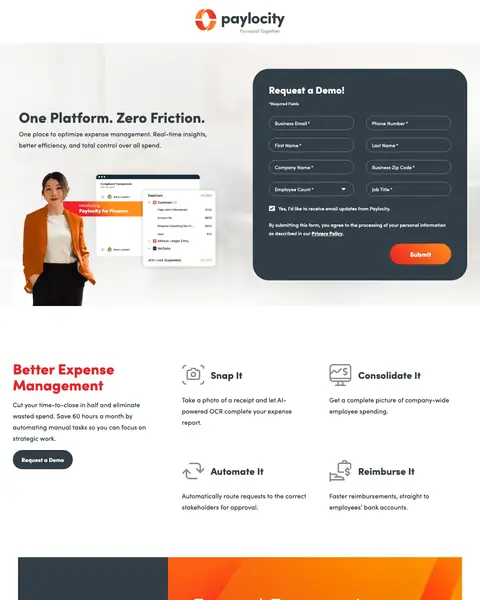
Winner #1: paylocity.com

paylocity.com/lp/software/finance/demo/explore/finance-pros
HR landing page example from paylocity.com
  1. 1

    What gets in the way

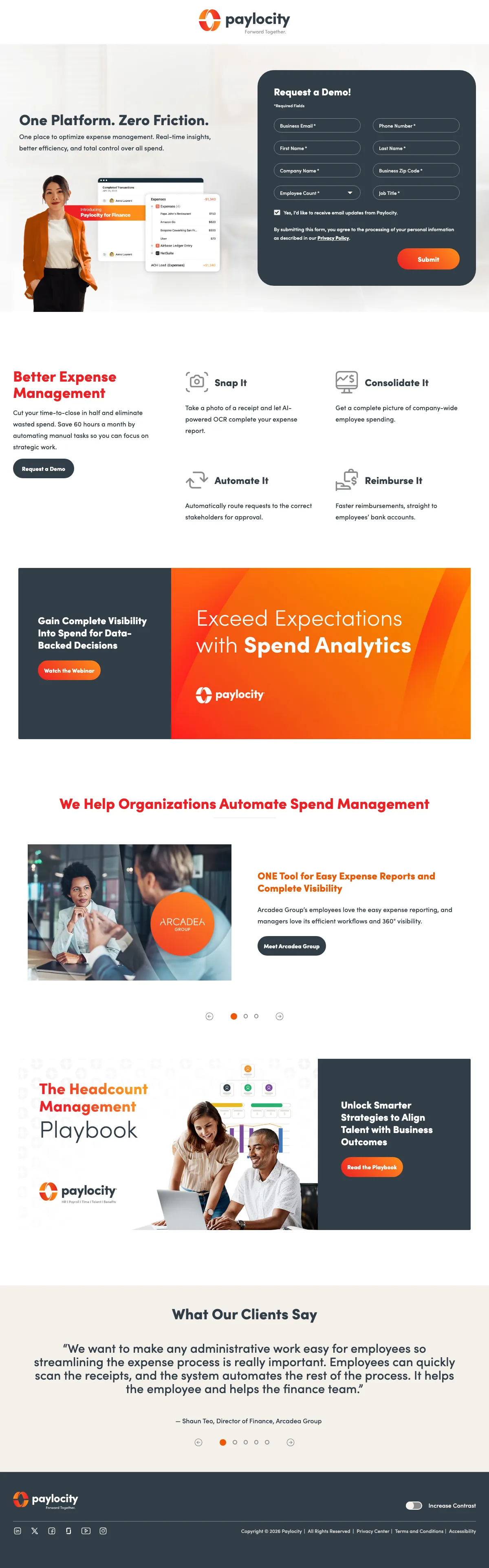
    Demo form and no price on the page

    The form has a job title field and a ‘Submit’ button. No price shows anywhere on the page, so a finance buyer must book a call to learn the cost.

  2. 2

    What gets in the way

    Four steps with a short name each

    The row runs Snap It, Automate It, ‘Consolidate It’ and Reimburse It. A finance buyer reads the whole process in four short phrases.

  3. 3

    What works

    Headline has an hours figure

    The copy reads ‘Save 60 hours a month’. A finance buyer sees a time saving in a number.

  4. 4

    What gets in the way

    Webinar button under the headline

    A second button reads ‘Watch the Webinar’ under ‘Exceed Expectations’. It offers a different action from the demo form.

  5. 5

    What works

    Named customer with a case study

    A block links to ‘Meet Arcadea Group’. A buyer can find a company like their own.

What to try

Show a starting price beside the form

The page has a demo form and no price. With a starting price beside the form, a finance buyer can decide before the call.

See the original page
Winner #2: bamboohr.com

bamboohr.com/pl-pages/hr-time-tracking

HR landing page example from bamboohr.com

The search: connecteam time clock

Sponsored bamboohr.com

Integrated Time Tracking | Monitor Employee Hours

  1. 1

    What works

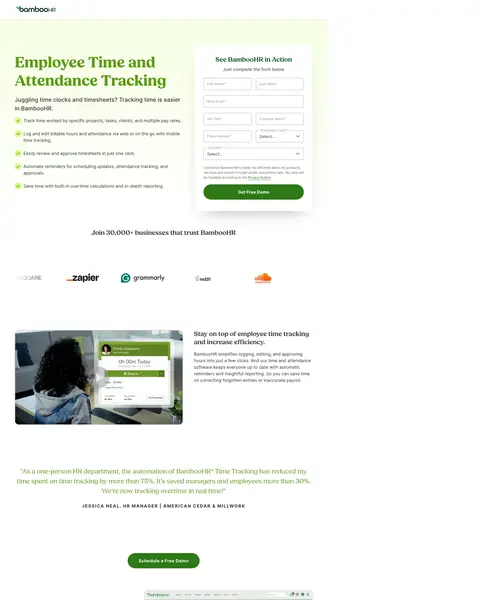
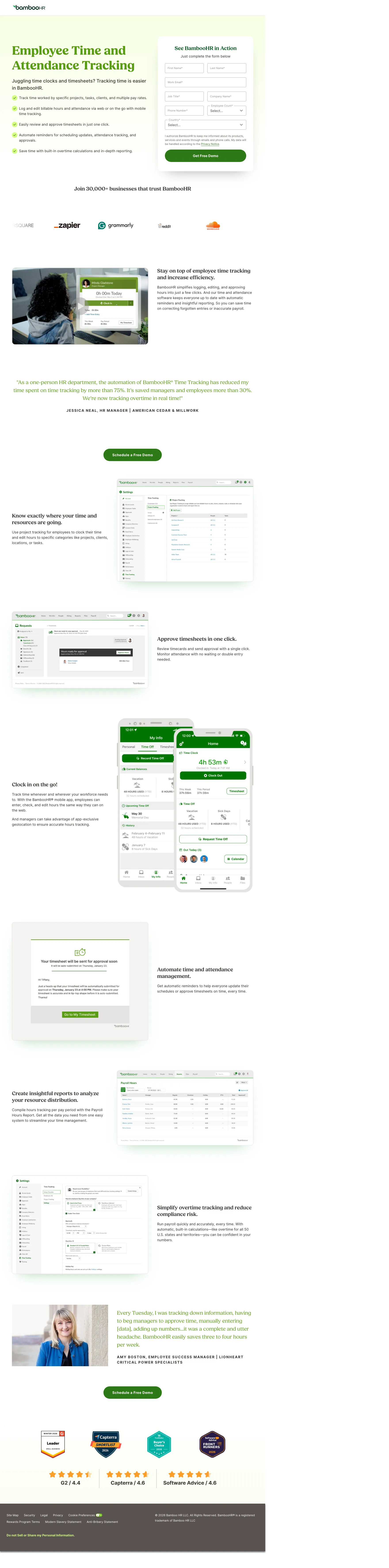
    Headline says the feature

    The headline reads Employee Time and ‘Attendance Tracking’. A visitor who searched for a time clock sees the product they want.

  2. 2

    What works

    Customer count under the hero

    A band reads ‘Join 30,000+ businesses that trust BambooHR’. It shows scale before any feature.

  3. 3

    What works

    Testimonial with a 75% result and a name

    An HR manager says time tracking cut her time ‘by more than 75%’. Her name, title and company are under the quote.

  4. 4

    What works

    Demo button right under the quote

    ‘Schedule a Free Demo’ is the next thing a convinced reader sees.

  5. 5

    What gets in the way

    Review scores are near the bottom

    ‘Capterra / 4.6’ and ‘Software Advice / 4.6’ show close to the footer. Most visitors never scroll this far.

What to try

Move the review scores next to the demo button

The 4.6 scores are far from the demo button. Put them under ‘Schedule a Free Demo’ to add proof at the point of action.

See the original page

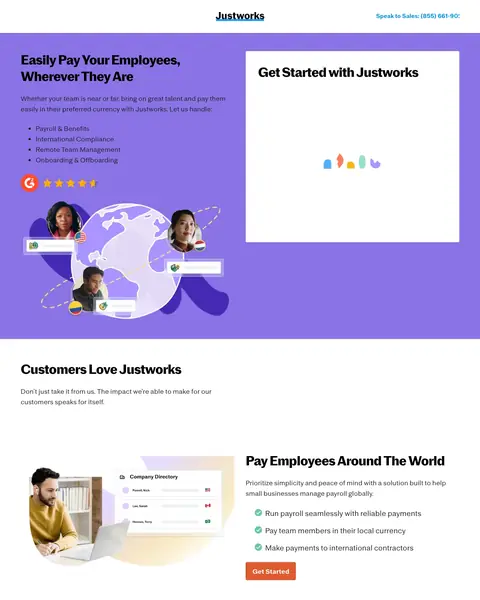
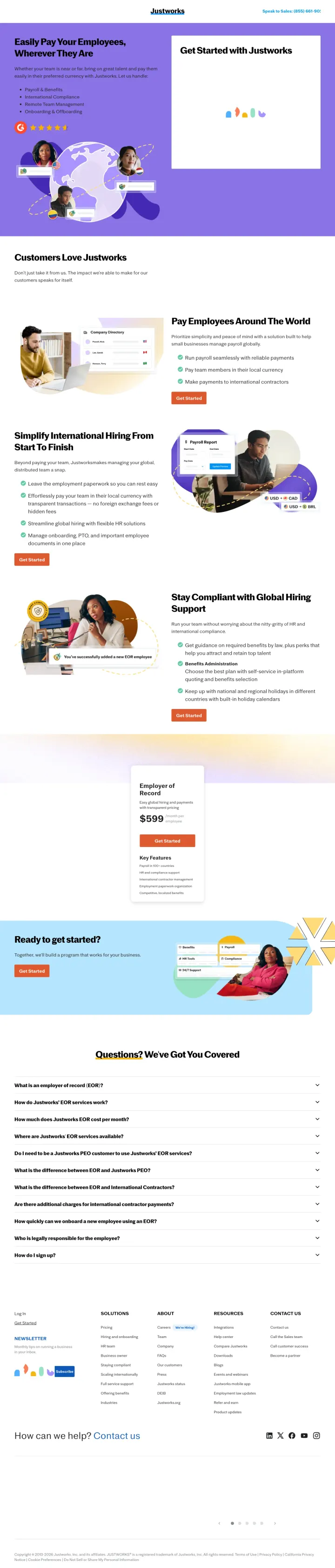
Winner #3: justworks.com

justworks.com/lp/eor-payroll

HR landing page example from justworks.com

The search: international payroll service

Sponsored justworks.com

Pay International Contractors | International Payroll Services

  1. 1

    What works

    Headline matches the search

    The headline reads ‘Wherever They Are’ under Easily Pay Your Employees. A visitor who searched for international payroll sees the same idea.

  2. 2

    What works

    Section for the compliance worry

    A section titled ‘Stay Compliant with Global Hiring’ lists benefits required by law and holiday calendars by country.

  3. 3

    What works

    Price on the page: $599 a month

    The Employer of Record card shows $599 a month per employee. A buyer can judge cost before booking a call.

  4. 4

    What works

    FAQ has a cost question

    The FAQ asks ‘How much does Justworks EOR cost per month?’ A buyer who scans for the price finds it.

  5. 5

    What gets in the way

    Footer has about thirty links

    The footer lists links from Pricing to ‘Blogs’. Each one is a way off the page for a visitor who has not booked.

What to try

Add the monthly price to the first screen

The $599 price is halfway down the page. With a starting price in the first screen, a global hirer can qualify at once.

See the original page

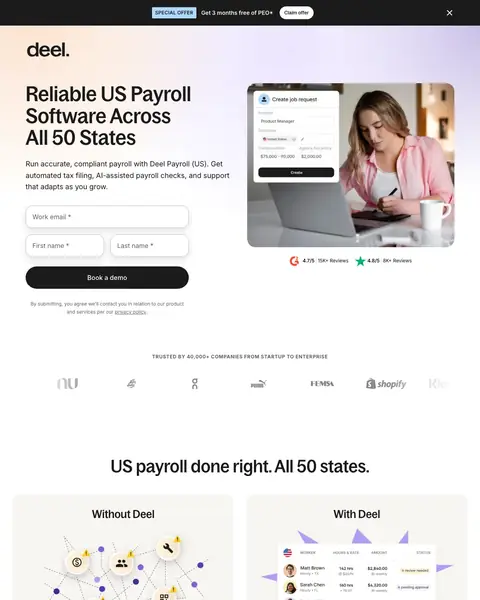
Winner #4: deel.com

deel.com/plp/us-payroll

HR landing page example from deel.com

The search: texas employer identification number

Sponsored deel.com

US Payroll in All 50 States - Payroll In Texas

  1. 1

    What gets in the way

    Ad says Texas, headline says all 50 states

    The ad reads ‘Payroll In Texas’. The first screen reads ‘All 50 States’ and has no word about Texas.

  2. 2

    What works

    Headline claim repeated after the form

    ‘US payroll done right. All 50 states.’ repeats the claim from the first screen.

  3. 3

    What works

    Before and after columns

    Two columns, ‘Without Deel’ and ‘With Deel’, list the problems and the fixes side by side.

  4. 4

    What works

    Prices on the page from $22

    The US plan cards show $22 and $39. A payroll buyer who compares vendors sees a cost without a call.

  5. 5

    What works

    Support figures in one band

    A band under ‘Fast 24/7 support’ lists 91%, 1hr, 6min and 93%. The numbers answer a buyer's worry about being left alone.

What to try

Put the state from the ad in the headline

The ad has Texas and the page has all 50 states. Add the state to the headline so the click and the page match.

See the original page

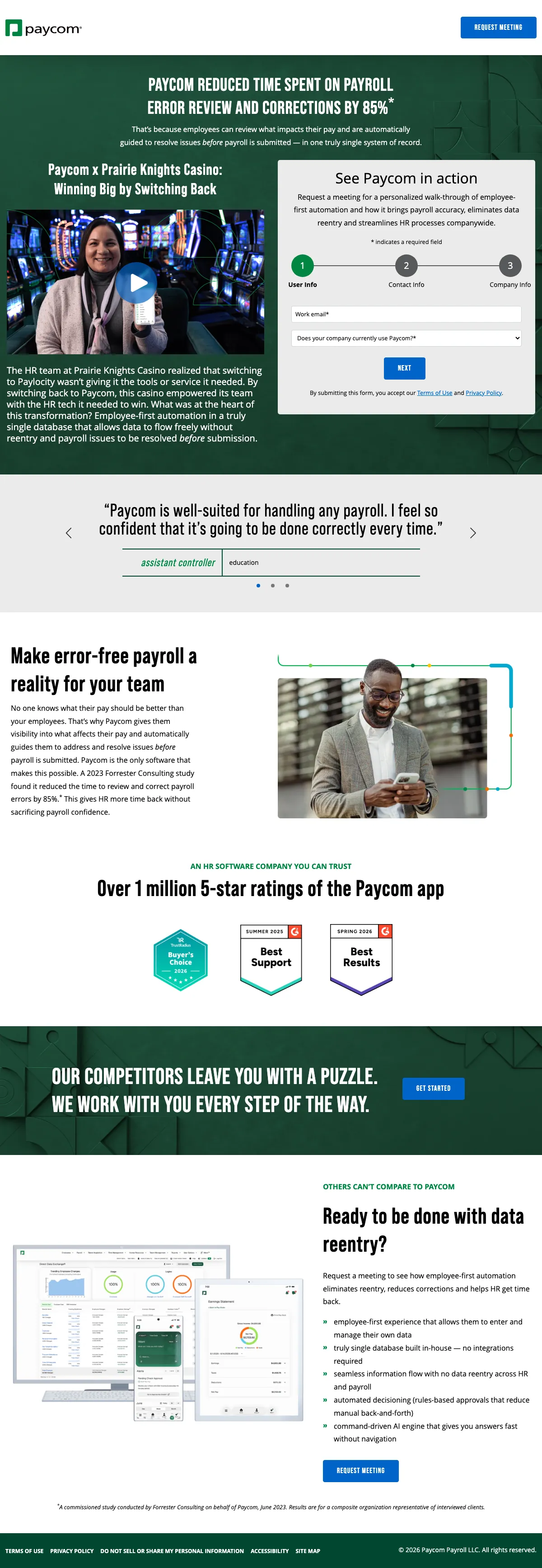
Winner #5: paycom.com

paycom.com/learn-more/why-paycom

HR landing page example from paycom.com
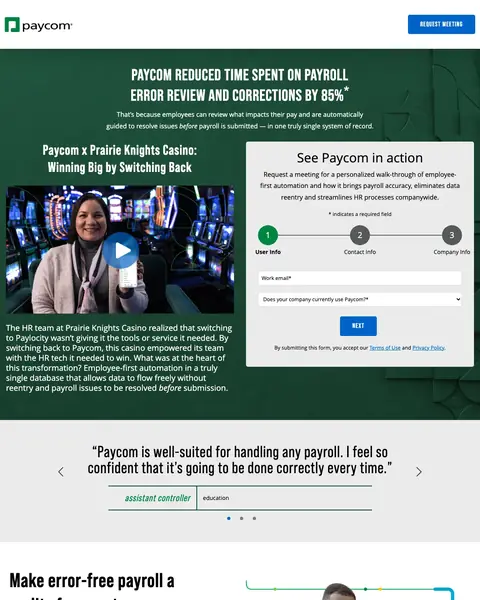
  1. 1

    What works

    Headline is an 85% result

    The first line reads error review and corrections fell by 85%. A footnote credits a Forrester study.

  2. 2

    What works

    Customer who switched away and came back

    The story is Prairie Knights Casino, titled ‘Winning Big by Switching Back’. It shows a buyer a real company with a reason.

  3. 3

    What works

    Form is split into steps

    Tabs for ‘User Info’ and Contact info break the form into steps. A buyer sees a short first step.

  4. 4

    What gets in the way

    Quote has a job title and no name

    The quote comes from an ‘assistant controller’ in ‘education’. A person or company name would make it easier to trust.

  5. 5

    What gets in the way

    Claim about competitors with no figure

    The block reads ‘OUR COMPETITORS LEAVE YOU WITH A PUZZLE.’ and has no figure beside it.

What to try

Add a person's name to the first quote

The first quote has a job title only. A first name and company next to it make the praise belong to a real person.

See the original page

Winner #6: adp.com

adp.com/semlps/0001/peo-provider-totalsource.aspx

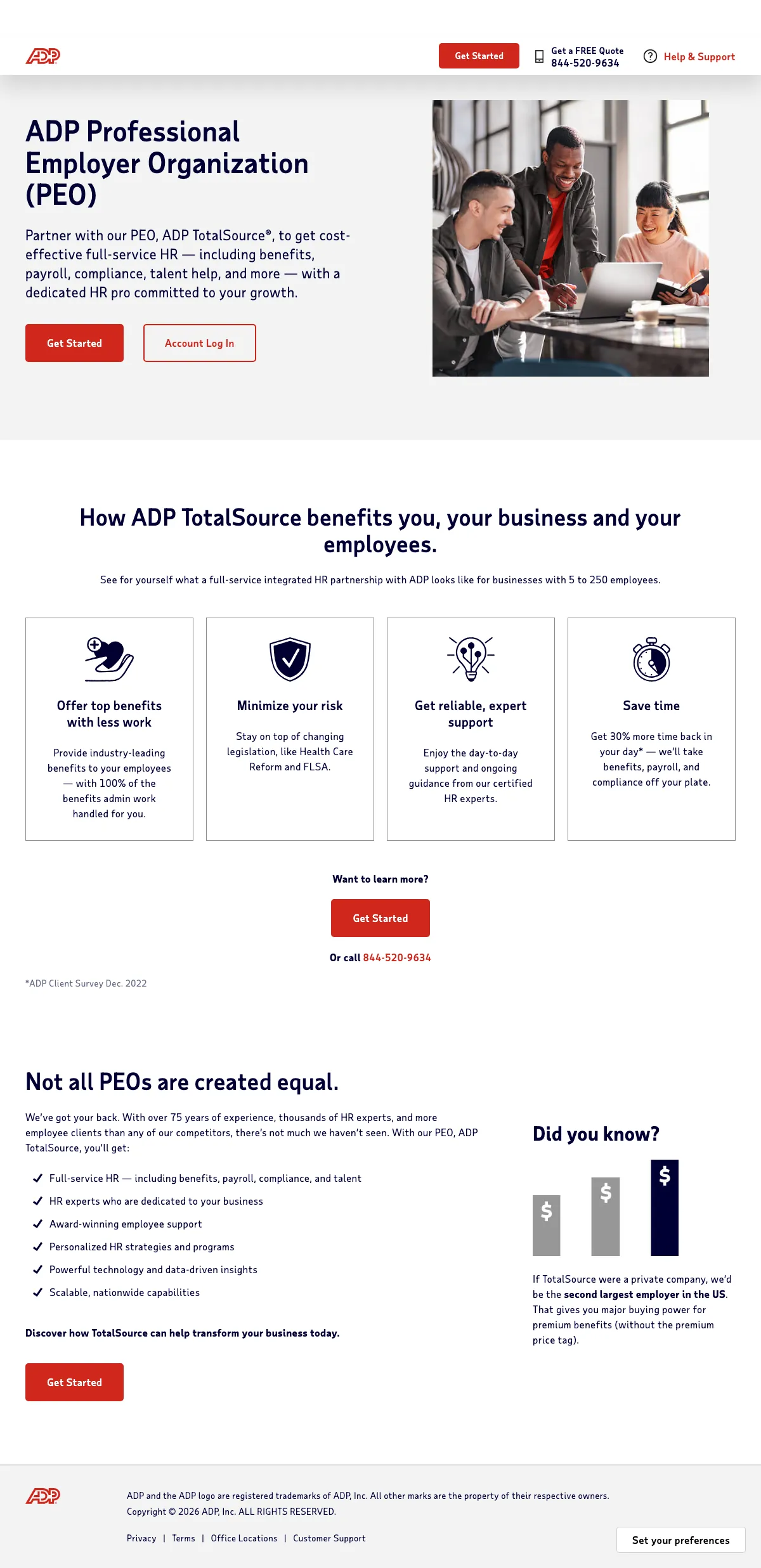
HR landing page example from adp.com
  1. 1

    What works

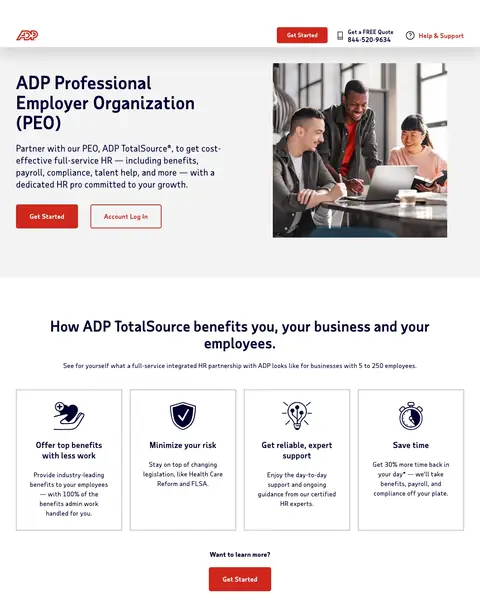
    Quote button and phone number in the header

    The header has ‘Get a FREE Quote’ and a phone number. A buyer who is ready to talk can call at once.

  2. 2

    What works

    Headline spells out the service

    The headline reads Professional ‘Employer Organization’ (PEO). A buyer who knows only the acronym or only the full term finds both.

  3. 3

    What works

    Four benefit tiles

    Four tiles read Offer top benefits, Minimize your risk, Save time and a support line. One tile adds 30% more time back.

  4. 4

    What gets in the way

    Experts claimed and no client name

    The page reads ‘thousands of HR experts’ and has no client name or quote to back it.

  5. 5

    What works

    Size claim in a side box

    A box reads that TotalSource would be ‘the second largest employer in the US’. It shows a buyer who hands over HR a size to trust.

What to try

Show one client name near the button

The page has several Get Started buttons and no customer name. A client logo or short quote beside one button adds proof.

See the original page

What the 6 winners do.

  1. Put a number on the page

    6 of 6
  2. Say the service in the headline

    5 of 6
  3. Show a customer quote

    4 of 6
  4. Show a price on the page

    2 of 6

Wildcards.

Pages that break the playbook in interesting ways.

Wildcard #1: deel.com

deel.com/plp/business-visas

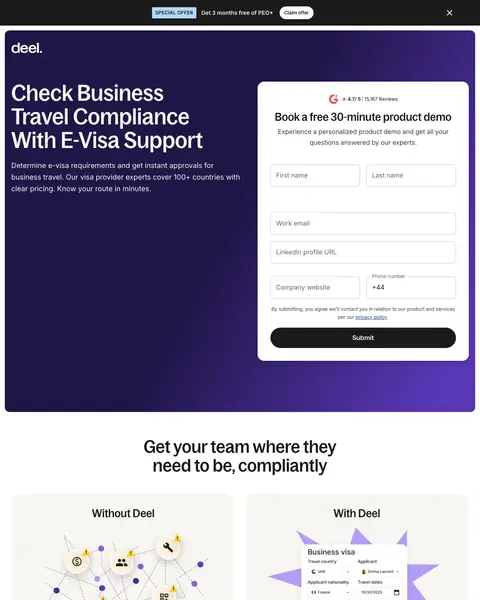
HR landing page example from deel.com

The search: electronic visas

Sponsored deel.com

Apply For E-Visas Online - Secure E-Visa Processing

  1. 1

    What makes it work

    Headline has the e-visa words

    The headline ends in ‘With E-Visa Support’. It matches the ad that offered e-visa processing.

  2. 2

    What it gets wrong

    Form asks for more than a first touch needs

    The form lists first name, work email, LinkedIn profile and ‘Company website’ before ‘Submit’.

  3. 3

    What makes it work

    Before and after columns

    Two columns, ‘Without Deel’ and With Deel, list the old problems and the fix side by side.

  4. 4

    What makes it work

    A free tool as the first plan

    The first of three plans is a ‘Free Self-Serve’ visa eligibility tool. It offers a cautious buyer a low-risk first step.

  5. 5

    What makes it work

    Process in three easy steps

    A block titled ‘in three easy steps’ lists booking a demo, adding people and getting onboarding. The next move is clear.

What to try

Cut the form to two fields

The form has first name, work email, LinkedIn and company website fields. Two fields make the first step shorter.

See the original page

Wildcard #2: rippling.com

rippling.com/lp/paid-global-mexico

HR landing page example from rippling.com

The search: hire internationally

Sponsored rippling.com

Hire Abroad, No Entity Needed | Hire Anyone, Anywhere

  1. 1

    What makes it work

    Headline has the country

    The headline reads ‘employees in Mexico’. A buyer who searched to hire internationally sees the exact market.

  2. 2

    What makes it work

    Country facts in a list

    A list shows the currency, capital, pay cycle and language for Mexico. The page reads as built for this market.

  3. 3

    What makes it work

    Four plans with prices from $8

    The cards show $499, $35, $30 and $8 a month. A buyer sees the cost of each service before any call.

  4. 4

    What makes it work

    Lists the benefits Mexican law requires

    The page lists benefits such as ‘13th month salary’, profit sharing and a Sunday policy. It teaches a first-time hirer the rules.

What to try

Show one plan price in the first screen

The first screen has an email box and no price. A starting price near the box sets the cost before the visitor signs up.

See the original page

Wildcard #3: justworks.com

justworks.com/lp/benefits-company-employer

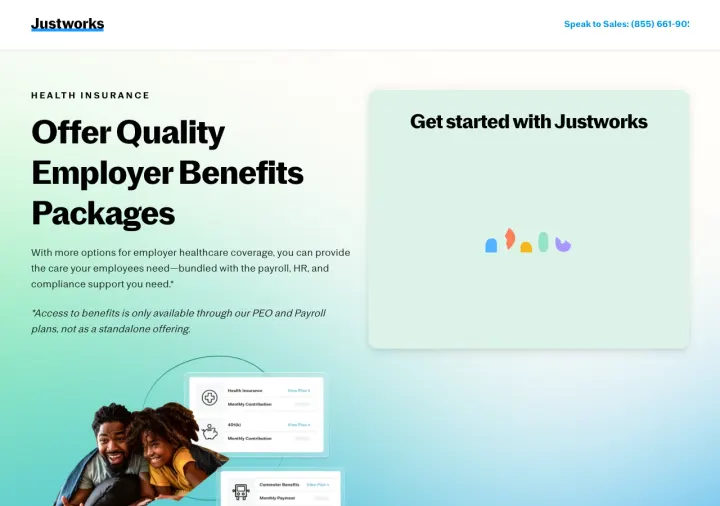
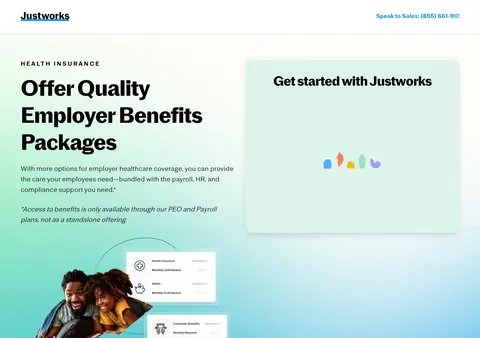
HR landing page example from justworks.com

The search: compensation and benefits for employees

Sponsored justworks.com

Employer Benefits Packages - Benefits for Employers

  1. 1

    What makes it work

    Sales phone number in the header

    The header has ‘Speak to Sales’ with a phone number. A buyer with a question can call.

  2. 2

    What makes it work

    Form beside the headline

    A form titled ‘Get started with Justworks’ is beside the headline.

  3. 3

    What makes it work

    Headline matches the ad

    The headline reads ‘Employer Benefits’ and Packages, the words in the ad. A buyer sees what they clicked for.

  4. 4

    What it gets wrong

    Plan limit is in small print

    A footnote says benefits are ‘only available through our PEO and Payroll’ plans. A buyer reads the limit after the offer.

What to try

Put the plan limit in the first sentence

The footnote about PEO and Payroll plans is small. Write the limit in the first line of copy.

See the original page

The copy bank.

Headlines

  • “US payroll done right. All 50 states.”

    deel.com

  • “Not all PEOs are created equal.”

    adp.com

  • “Stay Compliant with Global Hiring”

    justworks.com

Proof

  • “Join 30,000+ businesses that trust BambooHR”

    bamboohr.com

  • “Over 1 million 5-star ratings of the Paycom app”

    paycom.com

  • “Get 30% more time back in”

    adp.com

Calls to action

Next steps

1 pages that waste the click.

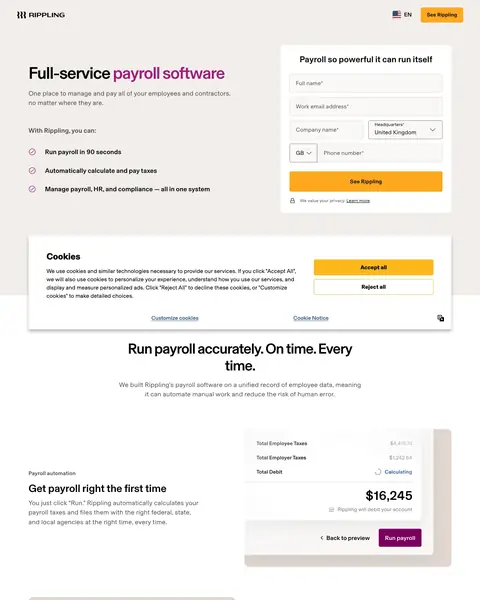
  1. A search for the company’s own name

    Six-field form on the first screen

    The first screen has fields for full name, work email, company name, headquarters and phone. The price comes much later.

    • Long formThe first screen has six fields before any price.
    • Late priceThe price is below three product screens.
    • No customersRating badges are the only proof. No customer name or quote shows.

What we learned.

  1. Put a number on the page

    Paylocity says ‘Save 60 hours a month’. Paycom says it cut error review time by 85%. ADP shows 30% more time back.

  2. Show a customer quote with a name

    BambooHR prints a quote with a 75% result and a name, title and company. Deel adds a quote from Revolut.

  3. Show the price

    Justworks shows $599 a month for its Employer of Record plan. Deel shows $22 for its US payroll plan.

The bottom line

The HR software pages here that win demos put a number in the first screen, show a customer quote and keep one clear ask. The loser asks for six fields before it shows a price.

Postclick is live

Now point postclick at your own page

Paste the URL your own ads point at. Postclick reads it the way we read these 21 pages, shows what is costing you demos and draws new versions to look at. Your first audit and two design directions are free.

Audit my HR software page

No card required.

Visit the live page